
Photo to Cartoon Comic Maker
All tools (30)
This photo to cartoon comic maker redraws your pictures as comic-book panels. Upload up to five photos, keep the pre-filled prompt or describe the cartoon style and the story, and get bold outlines, bright cel-shaded colour, speech bubbles and sound effects on one page.
Each generation uses credits, and the generate button shows the cost before you start. Only upload photos you have the right to use, and ask the people in them first.
Drop, paste or click to choose a photo
Needs: 1–5 photos · PNG, JPEG or WEBP, up to 20 MB
Checking the price…
Content generated on this platform is produced by artificial intelligence models and does not represent the platform's position. [Disclaimer]. [Privacy Policy].
Cartoon Comic Examples
Three pages in different cartoon styles: mascot characters, a gentle family strip and a campus story.
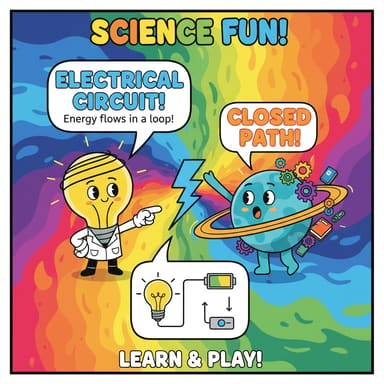
Science cartoon page
A light-bulb scientist and a planet character explain an electrical circuit with big speech bubbles on a rainbow background.
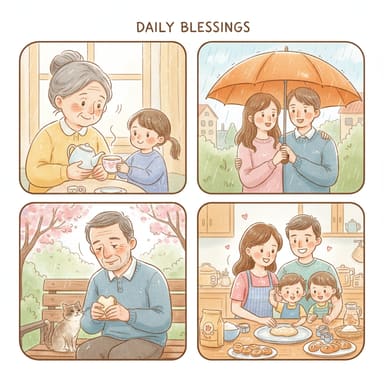
Family moments in four panels
Four soft-coloured panels of everyday family scenes: tea with grandma, a shared umbrella, a park bench and baking together.
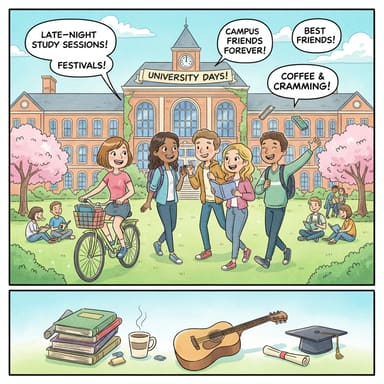
University days
A group of friends walking across campus with caption bubbles about study sessions and festivals, and a strip of keepsakes below.
Cartoon Comic: real results and prompts
We made these on 18 November 2026 with our own test account, using Nano Banana at 1K, the model this page starts with. The sample uploads were made with text-to-image first, and the people in them are AI-generated, not real. Settings and prompts are shown exactly as we used them, and where a result missed part of the prompt or has spelling mistakes, the caption says so. Click “Use this prompt” to put a prompt into the generator above.
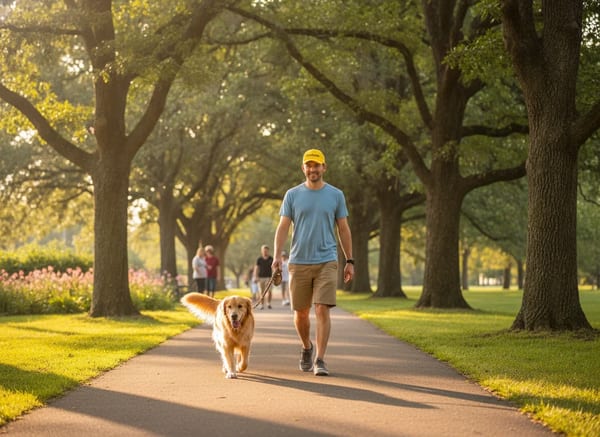
Sample upload
Prompt used to make this sample photo
A realistic photo of a man in a yellow cap with "ViNano" on it walking a golden retriever in a sunny park.
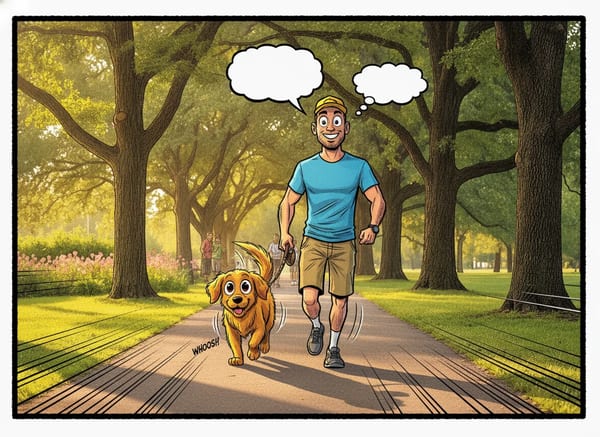
Result
Without a prompt you get one cartoon panel with bold outlines and motion lines. The speech bubbles are left empty for you to fill in.
Prompt
No extra prompt (the mode's default instructions)
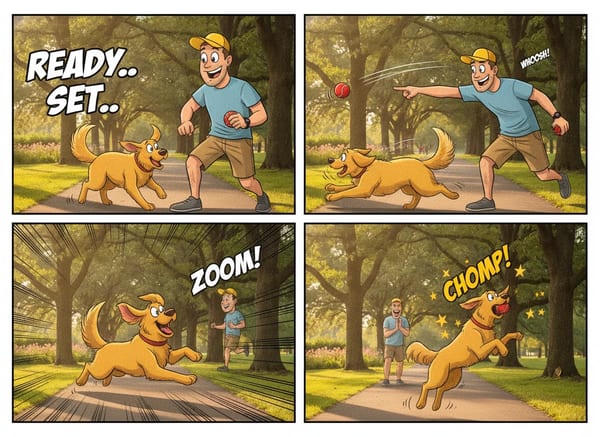
Result
Asked for a four-panel story, the model invents the beats: ready, throw, the chase and the catch, with sound effects.
Prompt
Make it a four-panel comic about the dog chasing a ball
How to Turn a Photo into a Cartoon Comic
- 1
Upload one to five photos. Use pictures from the same event if you want the panels to read as one story.
- 2
Keep the pre-filled prompt for a bright, energetic comic with speech bubbles and effects such as POW! and BOOM!, or edit it: name a cartoon style, a genre and what the characters say.
- 3
Check the credit cost on the button and generate.
- 4
Check the likeness and the lettering, rerun with a more specific prompt if needed, and download.
Tips
- •Faces that fill at least a third of the frame cartoonize best.
- •Name a style family: Saturday-morning cartoon, chibi, superhero comic or storybook.
- •Ask for “no text” if you only want the cartoon look without bubbles.
What the Photo to Cartoon Comic Maker Does
The brief behind the tool asks an image model to stylise people as cartoon characters, with exaggerated expressions, simplified but recognisable faces and dynamic poses, and to draw them with bold black outlines, saturated colour and cel shading. It adds comic furniture: panel borders, speech bubbles, sound-effect lettering and motion lines.
Nano Banana is selected by default, and you can pick another model in the tool. When you upload several photos, the model usually arranges them as panels of one page instead of returning separate files.
Cartoon Styles and Comic Genres to Ask For
A style name changes everything. “Classic American comic” gives heavy inks and halftone dots. “Chibi” shrinks bodies and enlarges heads. “Storybook” softens outlines and colour for children's themes, and “newspaper strip” produces simple figures in a row of equal panels. Genres work the same way: superhero, slice of life, school comedy, travel diary.
If you want a black and white manga finish instead of colour, use the black and white anime maker. For a single cartoon portrait without panels, say “one panel, portrait only”.
Cartoon Comic Ideas: Gifts, Classrooms and Social Posts
Birthday and anniversary comics built from a handful of phone photos are the classic gift. Teachers turn a field trip into a comic recap, or explain a concept with mascot characters, as in the first example. Teams make a cartoon comic of an away day for the newsletter, and creators post a comic page instead of a photo dump.
A finished page can go further: cut a favourite character out as a sticker with the AI sticker generator, or change details in the AI image editor.
Likeness, Lettering and Consent
Cartooning simplifies faces, so likeness is approximate, and it varies between panels. Generated lettering can be misspelled. Get permission before turning other people into cartoon characters, ask a parent or guardian before using photos of children, and do not copy a specific studio's protected characters.
Photo to Cartoon Comic FAQ
Quick answers to keep your workflow moving.
How do I turn a photo into a cartoon comic?
Upload up to five photos, keep or edit the prompt, and generate. An image model redraws the photos as comic panels with outlines, flat colour and speech bubbles.
How many photos can I use?
One to five per run.
Can I choose what the speech bubbles say?
Yes. Put short lines in the prompt and say who speaks. Check the spelling in the result; long text is unreliable.
Can I get the cartoon look without comic panels?
Yes. Ask for a single cartoon illustration with no panels and no text.
How much does the photo to cartoon comic maker cost?
Each generation uses credits based on the model you pick, and the generate button shows the cost before you start. New accounts receive free sign-up credits; the pricing page lists credit packs and plans.
Are my photos stored or shared?
Your upload is used to create the result you ask for and is not shown as an example on this page. Storage, retention and deletion are explained in our Privacy Policy, and the data retention notice with your results shows the current setting for your account.
Need another workflow?
Browse the complete gallery of ViNano AI generation modes to find the perfect fit for your project.