
Red Carpet Video Effect
The background turns into a premiere, with velvet ropes and photographers' flashes, while the person in the photo poses and waves. Dressier photos fit best, but any clear standing photo works.
Photos
Clear face, whole head in frame, no sunglasses. JPG, PNG or WebP.
Up to 10 MiB · 512–5999 pixels per side
Settings
Photo to video
Input photos
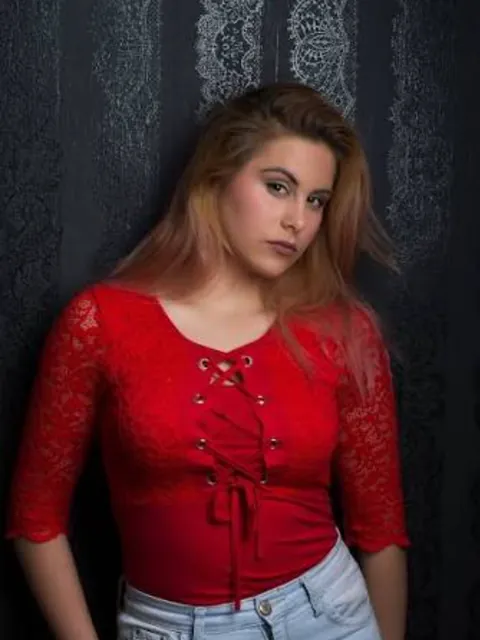
Generated video
Good for
Graduation day
Walk out like it's opening night.
Wedding guest look
Show off the outfit properly.
Work award
Announce the win with some ceremony.
Photo tips
Choose a standing, waist-up or full-body photo with good posture. Plain backgrounds are replaced more cleanly.
AI Image Editor ↗How it works
Upload one photo, or separate photos for two people.
Choose model, length (5 / 10 seconds) and shape.
Check the credits and generate.
Frequently asked questions
Does it show a real event or brand?
No. The premiere is generated, with no real event, logo or sponsor wall.
Can two people walk it together?
Yes. Upload two photos, or one photo of both.
Does the clip have sound?
Yes, sound is generated with the video.
Will it look exactly like the example?
No. Each video is generated fresh, so motion and details differ every time.
What if generation fails?
Check the task status and your credit history for the outcome. Contact support if a failed task remains unresolved.
Related templates
View all templates →Fireworks
The night sky bursts into color behind you.
1 photo(s) · 5s
Earth Zoom Out
From your photo all the way out to space.
1 photo(s) · 5s
Studio Booth Rap
Two people record a track together in a cozy studio.
2 photo(s) · 12s