

Is Seedance 2 free? No. On ViNano AI, Seedance 2.0 needs a paid account, meaning any credit pack or plan, plus credits: the shortest clip, 5 seconds at 480p, costs 180 credits. Free accounts can use Seedance 1.0 Pro instead.
Drop or click
Content generated on this platform is produced by artificial intelligence models and does not represent the platform's position. [Disclaimer]. [Privacy Policy].
AI Video Generation History
To protect your privacy, we regularly clear history records. Please see our Privacy Policy。 To modify retention rules, click here
No videos yet, start creating now!
How to Start With Seedance 2.0 in 3 Steps
- Sign up for a ViNano AI account. New accounts receive 50 free credits when they register with a common email provider such as Gmail or Outlook, and 20 with other email domains. On a free account, credits work with Seedance 1.0 Pro, whose shortest clip costs 90 credits, so you may need to top up first.
- Buy any credit pack or plan on the pricing page. A purchase unlocks Seedance 2.0 for your account and adds the credits to your balance. The shortest Seedance 2.0 clip needs 180 credits.
- Pick 480p and 5 seconds, write a prompt or add reference files, and generate. The generate button shows the exact cost before you start, and the finished video appears in your history below the generator.
Is Seedance 2.0 Free? What It Costs in Credits
Every Seedance 2.0 video uses credits based on its length and resolution. This table is built from the same settings the generator uses, so it matches what you are charged.
| Resolution | Model | 5 seconds | 10 seconds | 15 seconds |
|---|---|---|---|---|
| 480p | Seedance 2.0 Fast | 180 credits | 360 credits | 540 credits |
| 720p | Seedance 2.0 Fast | 400 credits | 800 credits | 1200 credits |
| 1080p | Seedance 2.0 | 1600 credits | 3200 credits | 4800 credits |
Seedance 2.0 is only available to paid accounts, which means accounts that have bought a credit pack or have an active plan. Free accounts cannot generate Seedance 2.0 videos even with enough credits, but they can use Seedance 1.0 Pro.
Once your account has made a purchase, credits from sign-up and daily check-in rewards can be spent on Seedance 2.0 as well. Paid accounts also download videos right away, without the ad countdown shown to free accounts.
What Is Seedance 2.0?
Seedance 2.0 is a video generation model from ByteDance Seed. Its official model page describes one architecture that generates audio and video together and accepts text, image, audio and video as input.
On ViNano AI, Seedance 2.0 Pro makes clips of 5, 10 or 15 seconds at 480p, 720p or 1080p, with synchronized audio. You can write a prompt on its own, or add up to 12 reference files (up to 9 images, 3 videos and 3 audio clips) and point to them with @ in the prompt, for example “follow the action in @1”.
Seedance 2.0 vs Seedance 1.0 Pro vs Seedance 2.5
All three Seedance versions run in the same generator. The table compares what each one offers on ViNano AI.
| Version | Clip length | Resolution | Audio | Lowest cost |
|---|---|---|---|---|
| Seedance 1.0 Pro | 5 or 10 seconds | 480p, 720p, 1080p | No | from 90 credits |
| Seedance 2.0 Pro | 5, 10 or 15 seconds | 480p, 720p, 1080p | Yes | from 180 credits |
| Seedance 2.5 | 5, 10 or 15 seconds | 480p, 720p, 1080p | Yes | from 390 credits |
Seedance 1.0 Pro is the lowest-cost way to test an idea as a silent clip, and the only one of the three that free accounts can use. Seedance 2.5 also supports audio and mixed references, costs more per clip and can re-edit an existing video. For side-by-side results, read the Seedance 1.0 vs 1.5 vs 2.0 comparison.
Tips to Get More From Your Seedance 2.0 Credits
- Test a new prompt at 5 seconds and 480p, the lowest-cost setting, before you render a longer or sharper version.
- Describe one main subject, what it does, where it happens and how the camera moves, for example “a cyclist rides through a rainy street at night, tracking shot”.
- Keep the number of characters small; scenes with many people are harder to keep consistent from frame to frame.
- Use clear, well-lit reference files, and refer to each one with @ so the model knows which file you mean.
- When the motion looks right, generate again at 720p or 1080p, or at a longer length.
The Seedance series guide explains each setting in more detail, and Veo 3.1 vs Seedance for e-commerce video compares the two models for product clips.
Featured Case Studies
At ViNano AI, use the most advanced ViNano AI model technology to generate images, then explore exciting AI-generated video content, experience the unlimited possibilities of creative videos


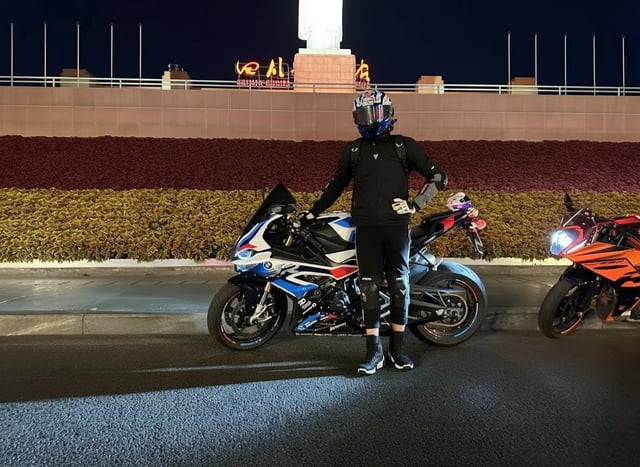
Cool Vehicle Pose
From ordinary vehicle photos to cool character poses, showcasing more dynamic vehicle-themed scenes, requiring only one original image to complete the creation.
Step Process
Cool pose image generation prompt example
"Change the person in the photo to get out of the car, stand next to the car, and pose in a cool way"
Motorcycle racing in rain video generation prompt example
"Use the motorcycle and rider in the picture to generate a photo of riding fast in the rain. In the lens, you can see raindrops falling, passing through a puddle, splashing a little water towards the lens, and then the lens immediately switches to capture the back of the motorcycle."
...Click to view full prompt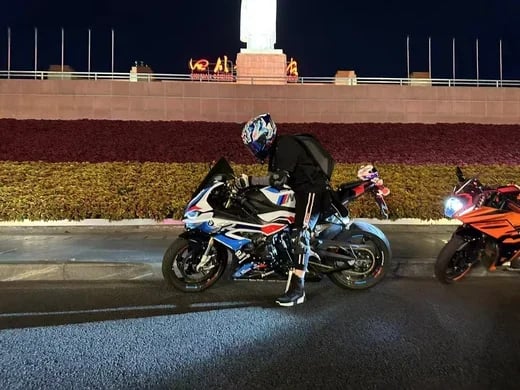
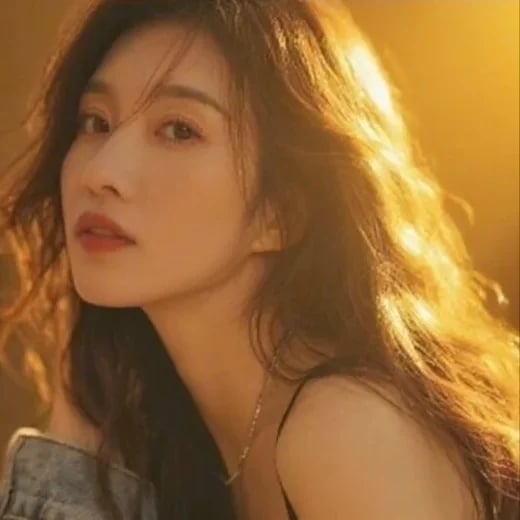
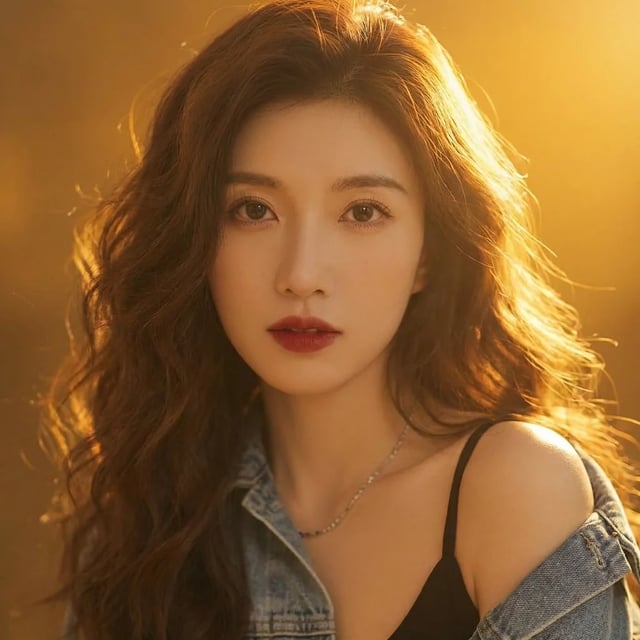
Romantic Female Charm
From static portraits to dynamic charm display, perfect interpretation of feminine elegant postures, showcasing captivating grace.
Step Process
Romantic female charm video generation prompt example
"The camera slowly zooms out. The woman stands up, walks towards me, and blows me a kiss."
Sci-fi Warrior Transformation
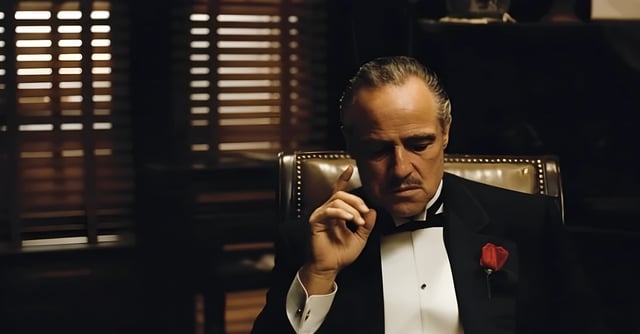
Amazing transformation from business person to future warrior, cinematic special effects showcasing sci-fi charm.
Step Process
Sci-fi warrior transformation video generation prompt example
"A cinematic 8-second video in a dark, dramatic office with Venetian blinds casting striped shadows across the room. Scene begins with the man on the left, who was leaning in to whisper, slowly standing upright and walking away into the shadows. The camera tracks smoothly, keeping the central figure in focus. The central man, seated in a leather chair, lowers his hand, then rises slowly with authority. As he stands, his elegant black tuxedo instantly transforms into a glowing, futuristic Iron Man–style suit of armor, with metallic plates snapping into place across his body in rapid succession. The camera performs a dynamic dolly zoom, emphasizing the transformation. Once fully armored, he raises his right arm, a glowing weapon emerges, and he points it directly at the camera. The camera shifts to a close-up, the glowing barrel of the weapon filling the frame. In the final moment, a powerful energy blast fires directly into the lens, and the screen flashes white with cinematic sound design."
...Click to view full prompt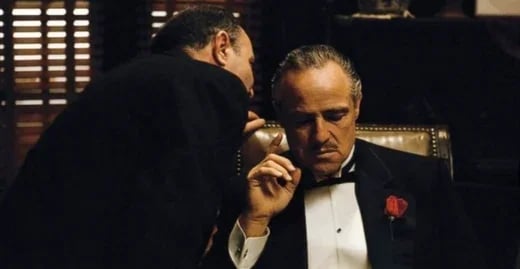
Fashion Costume Show
Rapid transformation from wedding dress to various outfits, showcasing AI creativity in the fashion field.
Step Process
Fashion costume show video generation prompt example
"Help me quickly change the outfit of this bride in a wedding dress, from the style in the picture to a professional outfit, then to a mecha outfit, and finally to a swimsuit. The camera rotates 360 degrees and slowly zooms out; the girl's eyes follow the camera."
...Click to view full prompt

Seedance 2 Free: Frequently Asked Questions
Credits, limits and how Seedance 2.0 works on ViNano AI.