
AI Hairstyle Changer
See a new haircut on your own face before you sit in the salon chair. Choose from ten hairstyles, from a pixie cut or a bob to a wolf cut or a buzz cut, and the AI hairstyle changer redraws only your hair. Your face, hair color and background stay as they are.
Photos
Your photo
A clear, well-lit photo works best. JPG, PNG or WebP.
Up to 10 MiB · 512–5999 pixels per side
Hairstyle
Settings
Example
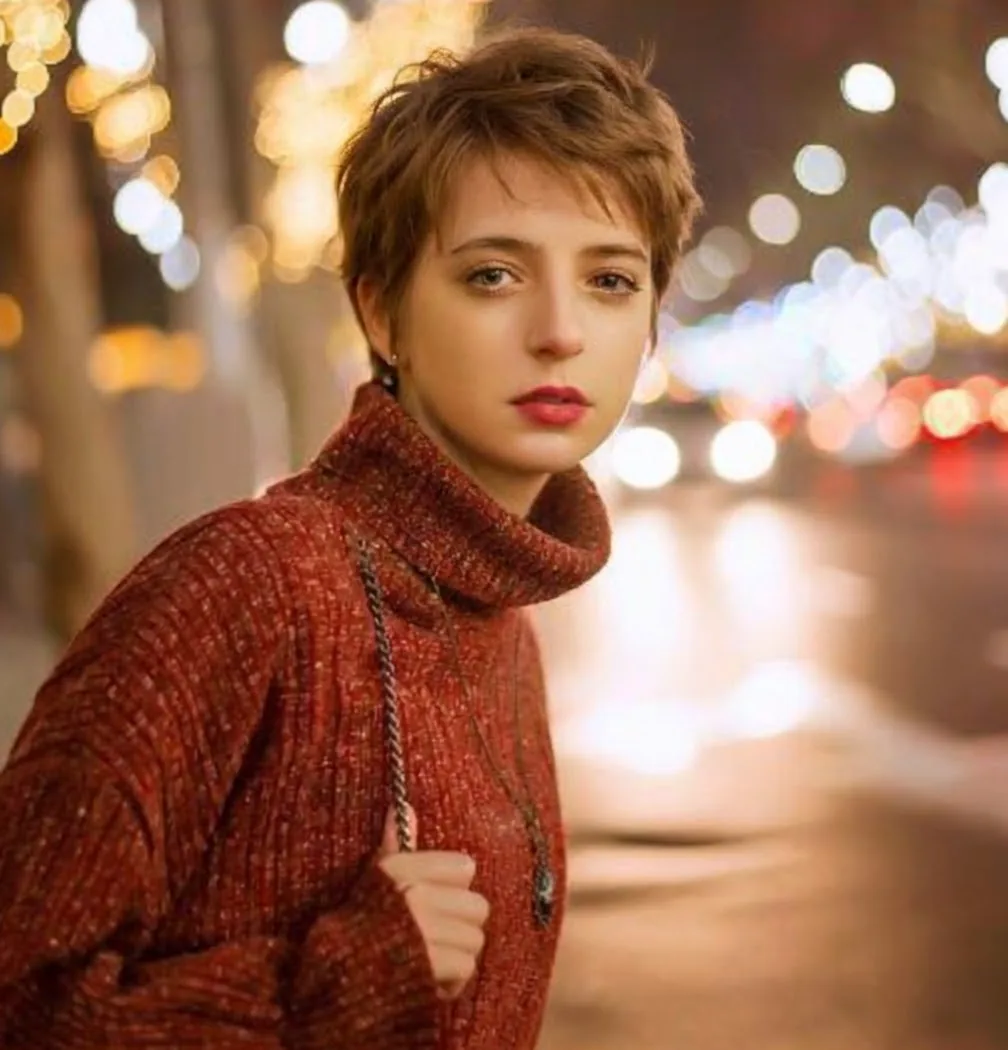 After
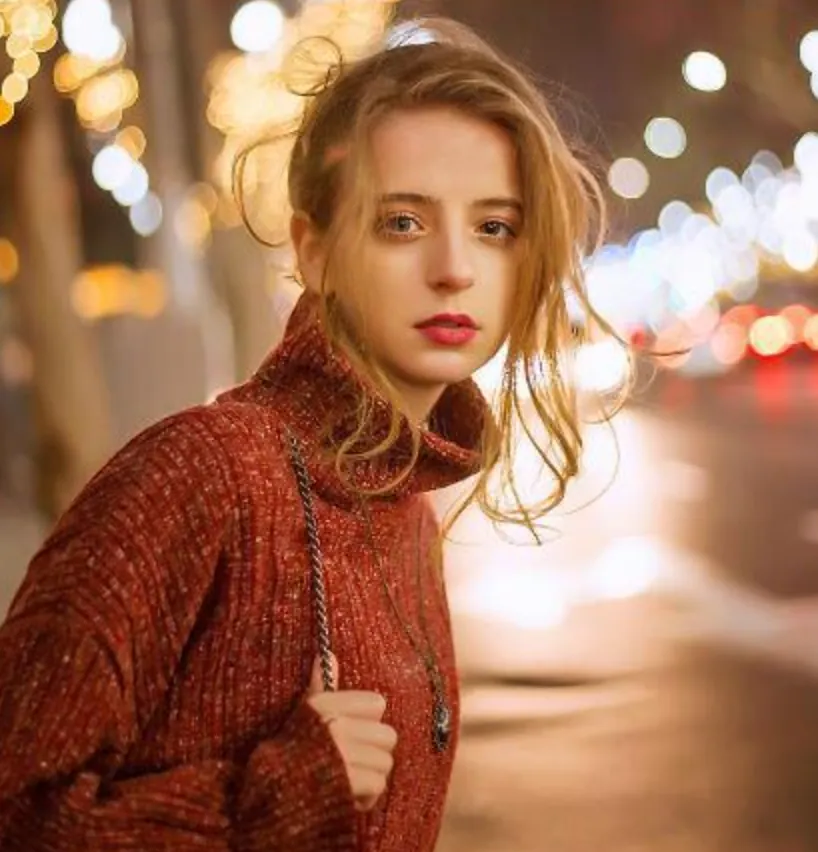
Upload a photo to make your own version.
Before and after
Good for
Before the salon
Show your stylist the haircut you want on your own face.
The big chop
See short hair on you before you cut long hair off.
Settle the debate
Try two or three styles and let friends vote.
Photo tips
Use a front-facing photo with your hairline and ears visible, hair pulled away from the face, and no hat. Even daylight helps the new hair match your photo.
AI Image Editor ↗How it works
Upload your photo. You can also scan the QR code to send one from your phone.
Pick a style and, where the template asks for it, add a short text.
Choose a model, check the credits on the button and generate. The result appears here and in My Images.
Frequently asked questions
How accurate is the hairstyle try-on?
It's a realistic preview, not a promise. The AI keeps your face and draws the new cut around it, but real hair depends on its thickness, texture and how it grows.
Does it change my hair color too?
No. The hairstyle changer keeps your natural color. To try a new color, use the Hair Color Changer.
Does it work for men and women?
Yes. Every style works on any photo; short cuts like the buzz cut or undercut and long styles like layers or braids are all in the list.
How many credits does it cost?
It depends on the model you choose, and the exact price is shown on the Generate button before you start. Free accounts can use Nano Banana; Nano Banana Pro and GPT Image 2.5 need a paid account (any credit pack or plan).
Will it look exactly like the example?
No. Every image is generated fresh, so details differ each time. If the first result isn't right, generate again or try another model.
Where are my results saved?
On this page and in My Images in your ViNano account, where you can download them later.
What if generation fails?
The credits for a failed task are returned to your account. Check My Images and your credit history, and contact support if a task stays unresolved.
Related templates
View all image templates →
Hair Color Changer
Try blonde, red, black or pastel hair on your photo.
1 photo
AI Clothes Changer
Put a new outfit on your photo, or wear clothes from another photo.
1 or 2 photos
AI Aging Filter
See yourself 10, 20 or 30 years older, at 80, or 10 years younger.
1 photo