
AI Super Image Enhancement
ViNano AI
Upload a blurry, soft or dull photo and choose how much help it needs: Sharpen gives a cleaner, crisper copy, while Enhance lets an AI image model redraw detail, light and color and returns a 2K result.
Before and after AI enhancement
Drag the slider across the portrait. The low-quality original on the left has soft skin, smudged hair and compression noise; the enhanced version restores clear eyes, hair strands and natural skin texture.
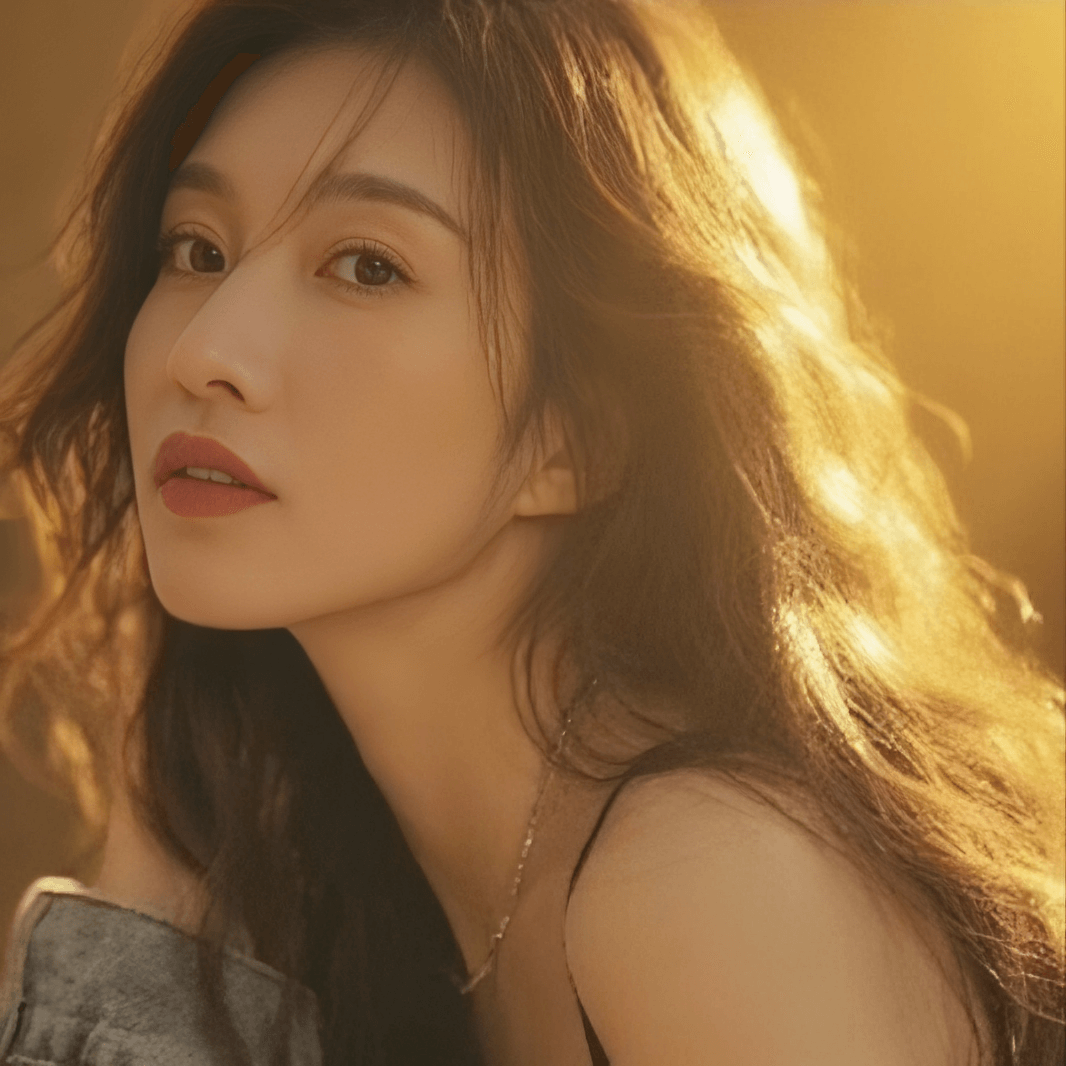
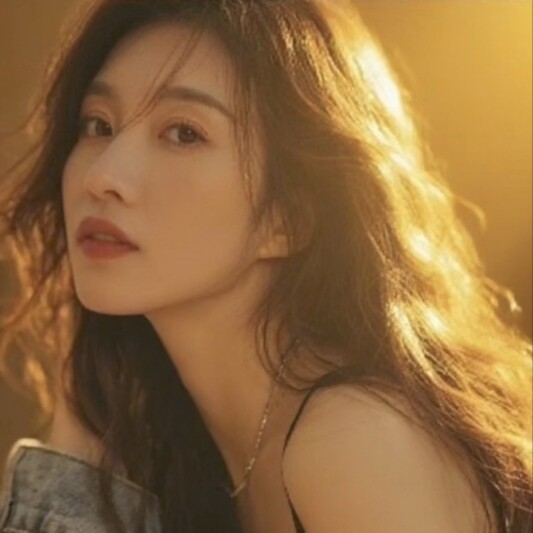
Two modes: a quick sharpen or a full AI redraw
Sharpen (the AI Image Sharpening tab, 10 credits) runs Recraft's Crisp Upscale model. It makes soft photos, screenshots and product shots crisper and larger while keeping the picture as it is. Any signed-in account can use it, and free accounts start in this mode.
Enhance (the AI Enhance Quality tab, 50 credits) sends the photo to Nano Banana Pro, Google's Gemini 3 Pro image model, with a fixed instruction to improve clarity, fine detail, lighting and color while keeping the composition and the person's identity. Because the model redraws the image, it can recover a face or texture that is too blurry to sharpen. Enhance mode is available on paid accounts.
Get a clean 2K image back from a low-quality photo
Enhance always returns a 2K image, so a small photo from a chat app or an old phone comes back large enough for social media, a slideshow or a print. The job runs in the background: keep the page open and the result appears when it is ready (the page waits up to 10 minutes). It is also saved to your image history.
If an Enhance job fails, the credits are refunded automatically. Sharpen jobs are quicker, and their credits are deducted only after the result is ready.
When to use the enhancer and when to upscale
The enhancer is for photos that look bad: blur, noise, flat colors, a face you can barely make out. If your photo already looks fine and is simply too small, AI Super Resolution is the better choice. It doubles the width and height for 10 credits without redrawing anything, so the content stays exactly the same.
For scanned family prints with scratches, creases or fading, go to photo restoration, which repairs damage and can colorize black-and-white photos.
How to enhance a photo with AI
Pick a mode
Choose Sharpen for a quick, faithful clean-up or Enhance for a full AI redraw at 2K. The cost of the selected mode is shown on the button.
Upload your photo
Drag, paste or select a JPG, PNG or WebP image. Convert HEIC photos to JPG first. Sign in to start.
Compare and download
Drag the comparison slider to check the result against the original, then download it. Results have no watermark.
Sharpen, Enhance or Super Resolution
All three make a photo look better, but they change different things. Use this to pick before you spend credits.
| Compare | Sharpen | Enhance | Super Resolution |
|---|---|---|---|
| Credits | 10 | 50 | 10 |
| Account | Any signed-in account | Paid account | Any signed-in account |
| Model | Recraft Crisp Upscale | Nano Banana Pro (Gemini 3 Pro Image) | Real-ESRGAN |
| Changes the content? | No, it sharpens what is there | Yes, it redraws detail, light and color | No, it enlarges what is there |
| Output | Crisper, upscaled copy | 2K image | Exactly 2× width and height |
| Best for | Slightly soft photos, text, products | Very blurry or dull photos, faces | Images that are simply too small |
Tips for better enhancement
- Try Sharpen first on photos that are only slightly soft; it is cheaper and keeps every detail as it was.
- Use Enhance for faces and old phone photos, then compare carefully: a redraw can change small details such as jewelry or text.
- Crop to the subject before you upload, so the 2K output is spent on what matters.
- Enhance is told to improve lighting as well, so you do not need to brighten a dark photo first; check the result for over-smoothed skin.
- Large results are heavy for websites. Compress the image to WebP before you upload it anywhere.
AI image enhancer FAQ
How much does the image enhancer cost?
Sharpen costs 10 credits per image and Enhance costs 50 credits. You need to be signed in, and Enhance mode needs a paid account. The price of the selected mode is shown before you start.
What is the difference between Sharpen and Enhance?
Sharpen uses Recraft Crisp Upscale to make the existing photo crisper and larger without changing it. Enhance uses Nano Banana Pro to redraw detail, light and color, which helps with very blurry photos but can change small details.
What resolution do I get?
Enhance always returns a 2K image. Sharpen returns an upscaled, crisper copy of your photo. If you need exactly twice the width and height, use AI Super Resolution.
What if enhancement fails?
Enhance jobs that fail are refunded automatically. If a job takes longer than usual, keep the page open; the result is also saved to your image history.
Which formats can I upload?
JPG, PNG and WebP. HEIC photos are not converted automatically, so export them as JPG first.
Should I use the enhancer or super resolution?
Use the enhancer when the photo looks bad (blur, noise, dull colors). Use super resolution when it looks fine but is too small; it keeps the content identical and doubles the size.
Are results watermarked?
No. Downloads from both modes have no watermark.
Are my images safe?
Images are processed by our services and service providers as described in the Privacy Policy. Clearing or leaving this page does not delete stored images or copies. For privacy or deletion requests, contact support@vinano.ai.
More AI image tools on ViNano
Bring a blurry photo back to life
Choose Sharpen or Enhance, upload a photo and compare the result before you download.