
AI Wedding Photo Generator
All tools (30)
The AI wedding photo generator blends two or three photos into a single wedding picture. Upload a photo of each partner, add a scene, outfit or pose reference if you have one, describe the venue and mood, and the tool composes one romantic image with matched lighting and wedding attire.
Each generation uses credits, and the generate button shows the cost before you start. Upload photos only with the consent of everyone pictured. Results are AI-generated images, not records of a real ceremony.
Drop, paste or click to choose a photo
Needs: 2–3 photos · PNG, JPEG or WEBP, up to 20 MB
Checking the price…
Content generated on this platform is produced by artificial intelligence models and does not represent the platform's position. [Disclaimer]. [Privacy Policy].
AI Wedding Photo Generator Examples
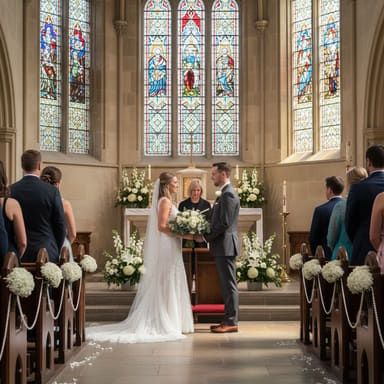
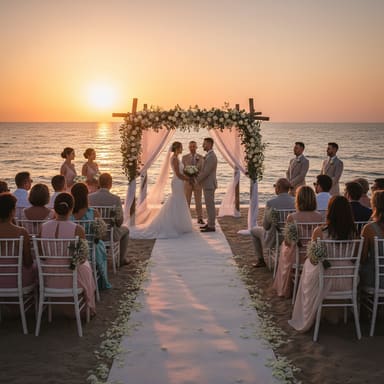
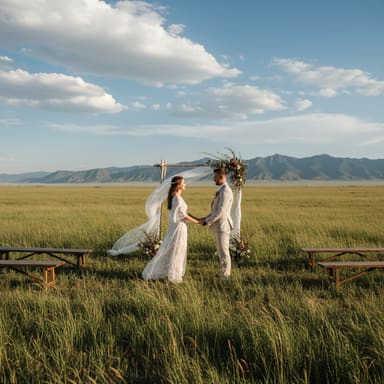
Three settings that show the range: a church ceremony, a beach at sunset and an open grassland.
Church ceremony
A couple at the altar under stained-glass windows, with guests in the pews and white flowers along the aisle.
Beach wedding at sunset
A ceremony under a flower arch by the sea, seen from the aisle as the sun goes down.
Grassland portrait
A couple holding hands in tall grass under a wide sky, with the veil lifted by the wind.
Wedding Photo Generation: real results and prompts
We made these on 18 November 2026 with our own test account, using Nano Banana at 1K, the model this page starts with. The sample uploads were made with text-to-image first, and the people in them are AI-generated, not real. Settings and prompts are shown exactly as we used them, and where a result missed part of the prompt or has spelling mistakes, the caption says so. Click “Use this prompt” to put a prompt into the generator above.
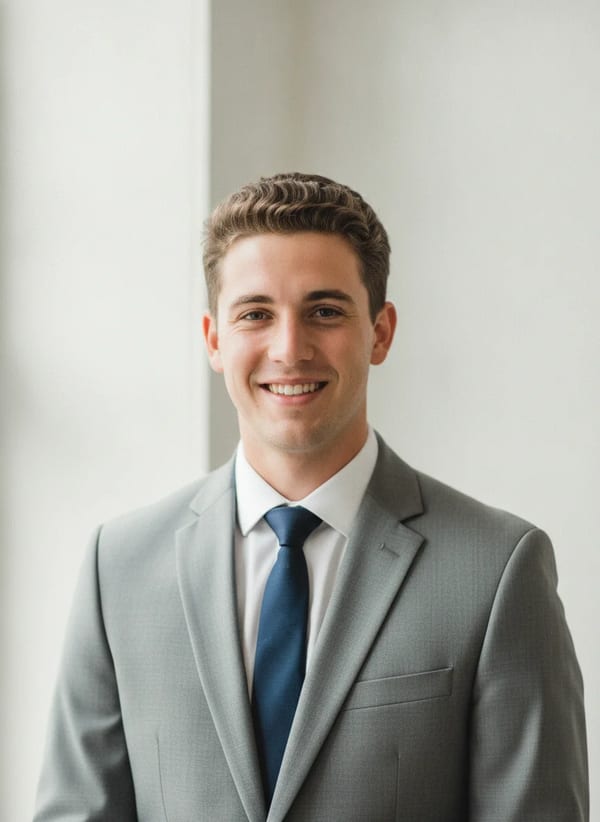
Sample upload
Prompt used to make this sample photo
A realistic waist-up portrait photo of a young man with short wavy hair wearing a light grey suit, smiling, in front of a plain wall, natural light.
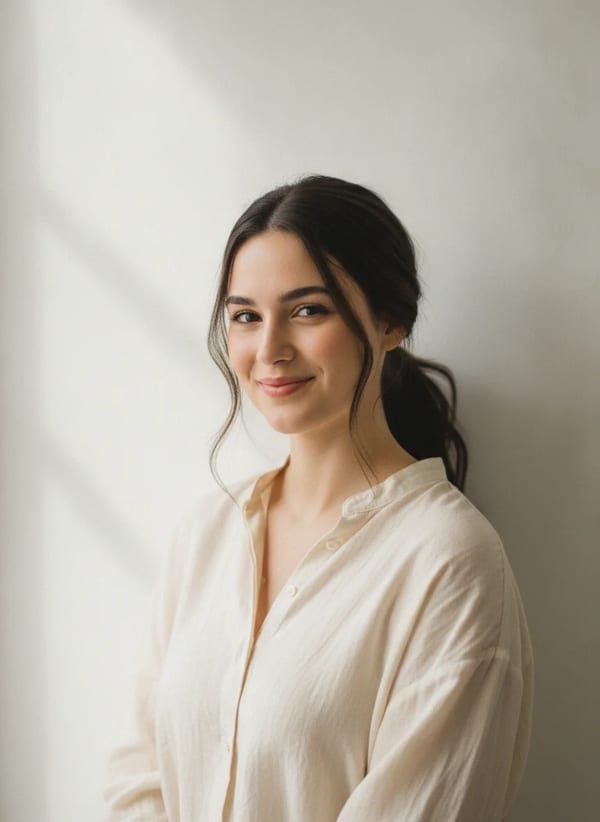
Sample upload
Prompt used to make this sample photo
A realistic waist-up portrait photo of a young woman with long dark hair tied back, wearing a simple cream blouse, smiling, in front of a plain wall, natural light.
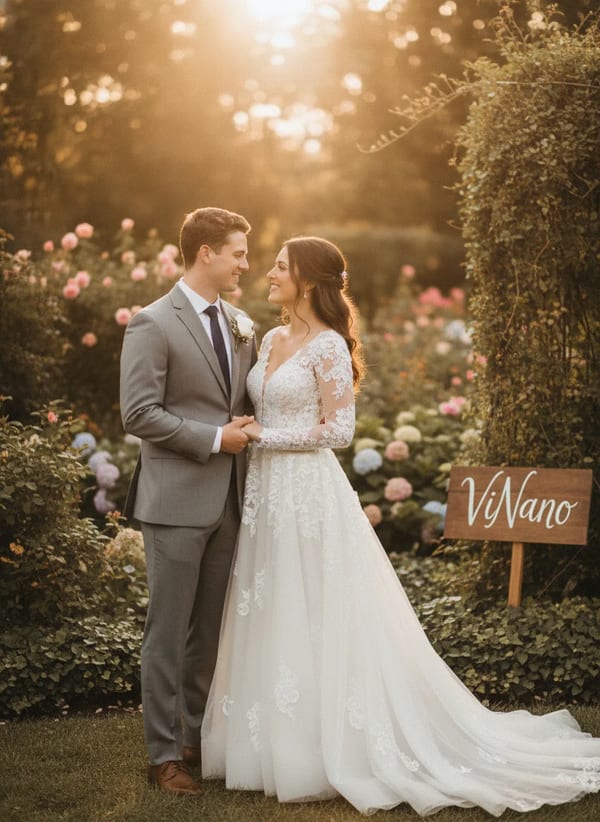
Result
Two separate portraits become one wedding photo in a garden at golden hour, with both faces kept and the wooden ViNano sign from the prompt.
Prompt
Garden wedding at golden hour, with a wooden welcome sign that reads ViNano
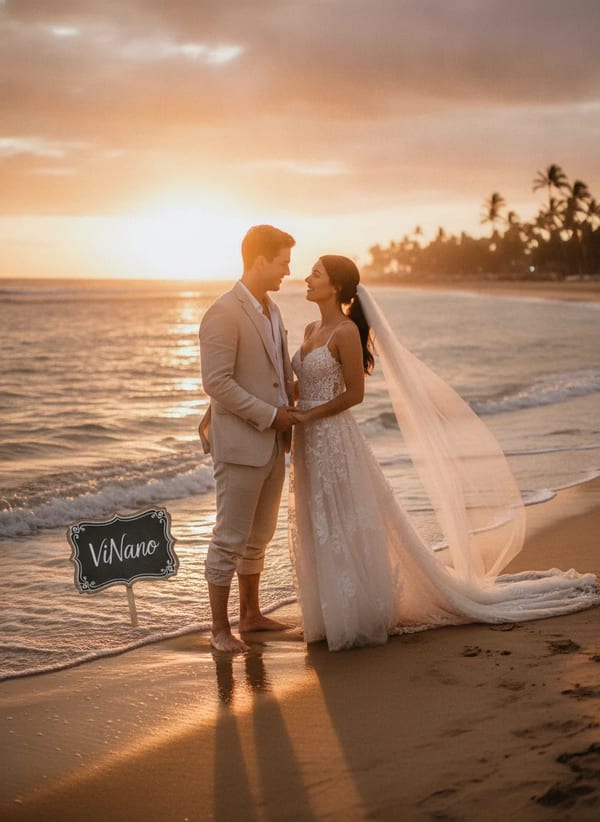
Result
The same couple at a beach wedding at sunset with a small ViNano chalkboard. The groom's suit changes to a beige beach look.
Prompt
Beach wedding at sunset, with a small chalkboard sign that reads ViNano
How to Use the AI Wedding Photo Generator
- 1
Upload two or three images: usually one clear photo of each partner, plus an optional third image for the scene or outfit. The tool also offers 20 preset pose sketches that you can add as a pose reference.
- 2
Describe the wedding you want in the prompt box: venue (church, beach, garden, vineyard), time of day, dress and suit style, and the mood. Leave it empty for a classic romantic look.
- 3
Check the credit cost on the button and generate.
- 4
Check both faces against your photos, rerun with clearer source photos or a more specific prompt if a likeness is off, and download.
Tips
- •Use photos with similar angles and lighting for both partners; a studio portrait and a dark party photo are hard to blend.
- •Faces should be large, sharp and unobstructed: no sunglasses, masks or heavy filters.
- •Describe outfits explicitly (“lace A-line dress, navy three-piece suit”), or the model picks its own.
How the AI Wedding Photo Generator Blends Your Photos
The tool sends your images and a wedding-photography instruction to an image model. Nano Banana is selected by default, and you can pick another model in the tool. The instruction asks for one cohesive scene: consistent lighting and colour across both people, natural scale, soft warm light, a shallow depth of field and classic wedding composition.
The model generates a new picture; it does not cut and paste your faces. That is why likeness varies from run to run, and why clear source photos matter more than anything you type.
Wedding Styles and Scenes You Can Ask For
Name the setting and the tool builds it: a church with stained glass, a beach arch at golden hour, a garden, a vineyard, a mountain meadow, a city hall staircase. You can also set the tradition and the wardrobe, such as a white gown and tuxedo, a hanbok, a qipao, a sari or matching suits, and the photographic style, from bright and airy to dark and cinematic.
Pre-wedding and couple shoots work the same way. Ask for an engagement picnic, a snowy walk or a film-style street portrait, and leave out the ceremony.
What AI Wedding Photos Are Good For
Couples use AI wedding photos to preview venues and outfits before booking, to make save-the-date cards and invitation art, and to create a keepsake when a full shoot is out of reach, for example for partners who live apart or for an anniversary. Planners and photographers use them as mood boards to agree on a look with clients.
They are not a substitute for photographs of the day itself. If you later want to adjust a detail, such as the bouquet or the background, describe the change in the AI image editor, and you can animate a favourite frame with the AI video generator.
Consent and Honest Use
Both people in the picture should agree to it. Do not create wedding images of someone without their knowledge, of celebrities or former partners, or of minors, and do not present a generated image as proof of a real marriage or event. Storage and deletion of uploads are explained in our Privacy Policy.
AI Wedding Photo Generator FAQ
Quick answers to keep your workflow moving.
How many photos does the AI wedding photo generator need?
At least two, and up to three. One clear photo of each partner is the usual setup; the third slot can hold a scene, outfit or pose reference.
Will the faces look like us?
Often, but not always. The picture is generated, so likeness depends on the source photos and on the model. Use sharp, front-facing photos and rerun if a face drifts.
Can I choose the venue and the outfits?
Yes. Describe them in the prompt box, for example “outdoor vineyard at sunset, off-shoulder gown, grey suit, candid laughing pose”.
Can I use a single photo of the two of us?
This mode expects at least two images. If you have one photo of you together, add a scene or pose reference as the second image, or restyle the single photo in the AI image editor.
How much does the AI wedding photo generator cost?
Each generation uses credits based on the model you pick, and the generate button shows the cost before you start. New accounts receive free sign-up credits; the pricing page lists credit packs and plans.
Are my photos stored or shared?
Your upload is used to create the result you ask for and is not shown as an example on this page. Storage, retention and deletion are explained in our Privacy Policy, and the data retention notice with your results shows the current setting for your account.
Need another workflow?
Browse the complete gallery of ViNano AI generation modes to find the perfect fit for your project.