
AI Poster Generator: Make a Poster from Your Image
All tools (30)
The AI poster generator builds a promotional poster around your image. Upload one photo, artwork or product shot, tell the tool what the poster is for and which text it must carry, and download a layout with a headline, supporting details and a call to action.
Each generation uses credits, and the generate button shows the cost before you start. Text on the poster is generated together with the image, so proofread it before you print or post.
Drop, paste or click to choose a photo
Optional, up to 1 photo · PNG, JPEG or WEBP, up to 20 MB
Checking the price…
Content generated on this platform is produced by artificial intelligence models and does not represent the platform's position. [Disclaimer]. [Privacy Policy].
AI Poster Generator Examples
Movie, product-launch and sports posters with headline typography.
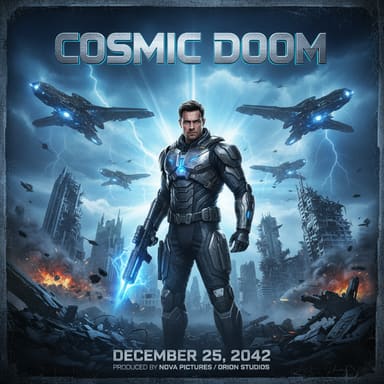
Sci-fi movie poster
An armoured hero under attacking ships, with a metallic title and a release date at the bottom.
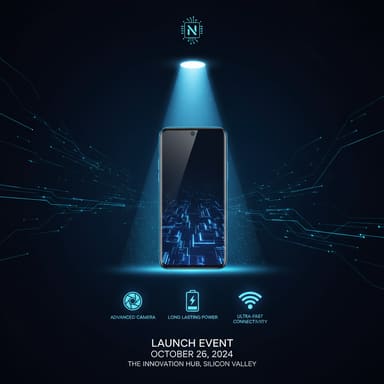
Product launch poster
A smartphone under a spotlight on a dark blue background, with feature icons and event details.
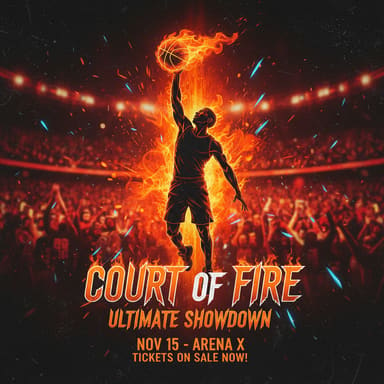
Sports event poster
A flaming basketball silhouette over a crowd, with a bold headline, a date, an arena and a ticket line.
Promotional Poster: real results and prompts
We made these on 18 November 2026 with our own test account, using Nano Banana at 1K, the model this page starts with. We tried several prompts for this mode and show the better results; where a result has spelling mistakes, added something or missed part of the prompt, the caption says so. Click “Use this prompt” to put a prompt into the generator above.
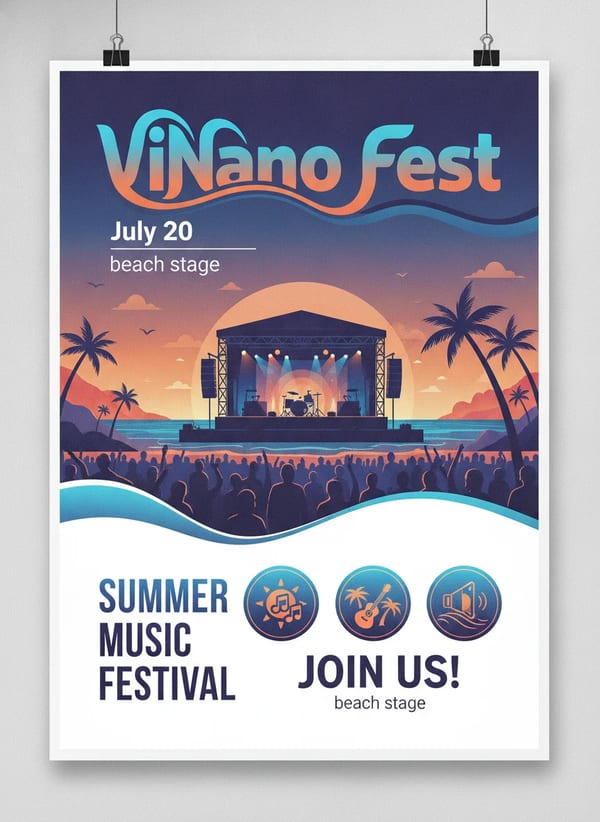
The title, the date and the beach stage come straight from the prompt, in a sunset beach scene. The model added a “Join us!” line and printed “beach stage” twice.
Prompt
Summer music festival poster for ViNano Fest, July 20, beach stage
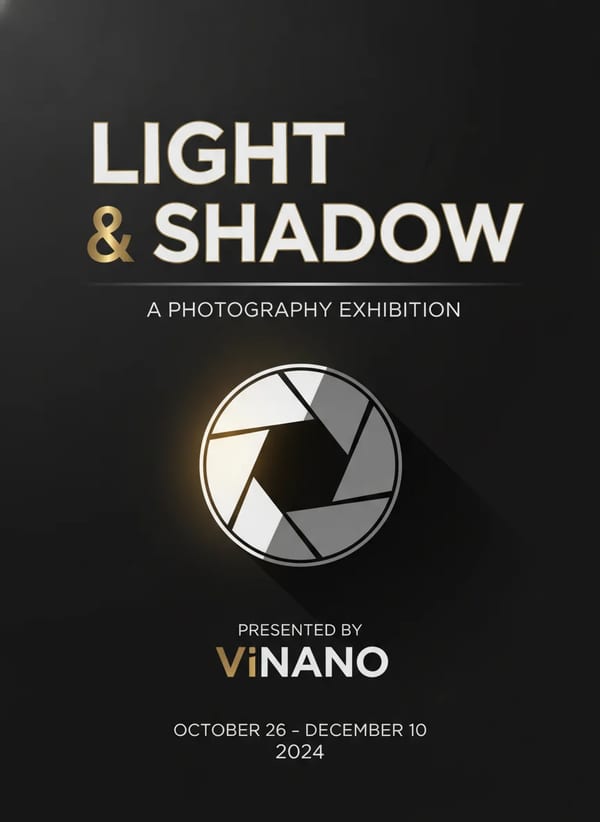
A clean black poster with the title, a camera aperture and “Presented by ViNano”. The prompt gave no dates, but the model added “October 26 – December 10 2024”, so remove or change them before you use it.
Prompt
Minimal poster for a photography exhibition titled Light & Shadow, presented by ViNano
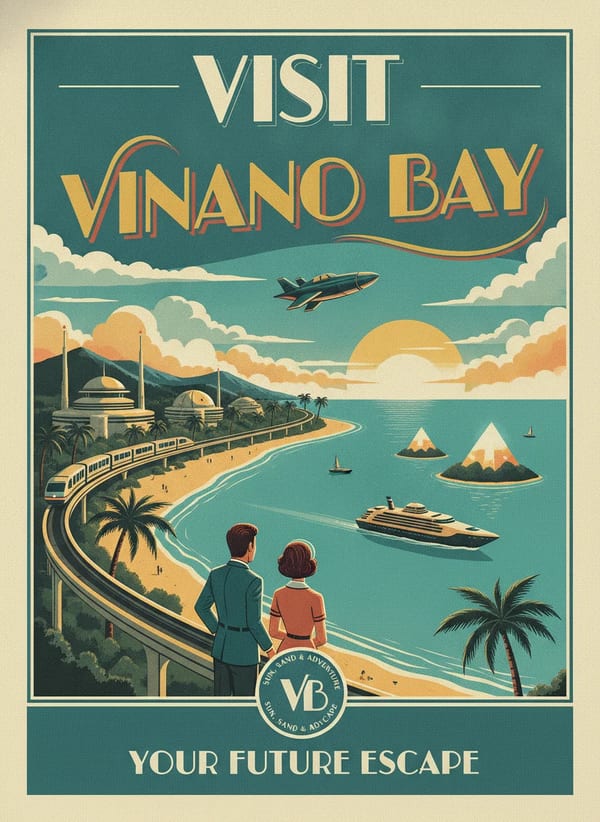
A retro travel poster with the headline from the prompt, a coastal train, a ship and a couple looking out to sea. The tagline “Your Future Escape” and the VB badge were added by the model.
Prompt
Retro travel poster for a seaside town with the headline Visit ViNano Bay
How to Use the AI Poster Generator
- 1
Upload one image to use as the main visual: a product, a person, a venue or a piece of art.
- 2
Edit the pre-filled prompt. Say what the poster promotes, the style, and the exact text: title, date, place and call to action, for example “Jazz Night, 12 June, Blue Room, tickets at the door, art deco style”.
- 3
Check the credit cost on the button and generate.
- 4
Proofread every word on the poster, rerun if any text is wrong, and download.
Tips
- •Put the exact wording in quotation marks and keep it short; three or four text lines render more reliably than ten.
- •Name two or three colours or a brand palette, so that the design stays on brand.
- •If the model you pick offers size or aspect-ratio options, set them to match where the poster will be shown.
What the AI Poster Generator Designs for You
The brief behind the tool asks an image model for a complete layout: your image as the main visual, a headline with a clear typographic hierarchy, a coordinated scheme of a few colours, balanced white space, and a prominent call to action or key information. Your prompt supplies the purpose, the audience and the words.
Nano Banana is selected by default, and you can pick another model in the tool. Models differ most in how well they render text, so if lettering matters, try a second model before giving up on a design.
Getting Poster Text Right
Typography is the hard part of any AI poster. Give the exact words, keep lines short, and avoid long paragraphs, small print, phone numbers and web addresses: those are safer to add afterwards in an editor. If one word comes out wrong, rerun, or fix just that area with AI image inpainting.
Always check dates, prices, names and sponsor logos by eye. A misspelled headline on a printed poster is an expensive mistake.
Poster Types You Can Make
Event posters for concerts, club nights, school plays and sports fixtures. Product and sale posters for shop windows and social feeds. Movie-style posters for birthdays and team events. Recruitment, fundraising and awareness posters, where a strong image has to carry a short message.
If you have no image yet, create one first with the free AI image generator. For other edits to your visual, the AI image editor takes plain-language instructions.
Print, Size and Rights
The output is an image file whose resolution depends on the model and the size you choose; there is no vector or layered export, and bleed and crop marks are not included. For large-format printing, check the pixel dimensions against your printer's requirements, and consider upscaling with the image enhancer. Use only images, logos and names you have the right to use, and do not imitate another brand's poster.
AI Poster Generator FAQ
Quick answers to keep your workflow moving.
How does the AI poster generator work?
You upload one image and describe the poster. An image model composes a layout around the image, with a headline, details and a call to action. You proofread it and download it.
Can I control the text on the poster?
Yes. Write the exact title, date, place and tagline in the prompt. Short text renders best; always proofread the result.
Can I make a poster without uploading an image?
This mode needs an image as the main visual. Generate one first with the free AI image generator, then upload it here.
Is the poster ready to print?
It is a single image at the resolution your chosen model produces, without bleed or crop marks. Small formats usually print fine; for large posters, check the resolution first.
How much does the AI poster generator cost?
Each generation uses credits based on the model you pick, and the generate button shows the cost before you start. New accounts receive free sign-up credits; the pricing page lists credit packs and plans.
Are my images stored or shared?
Your upload is used to create the result you ask for and is not shown as an example on this page. Storage, retention and deletion are explained in our Privacy Policy, and the data retention notice with your results shows the current setting for your account.
Need another workflow?
Browse the complete gallery of ViNano AI generation modes to find the perfect fit for your project.