
AI Meme Generator: Make a Meme Pack from Your Photo
All tools (30)
The AI meme generator turns one photo into a whole meme pack: a grid of 4, 6, 12 or 16 versions of the same face or character, each with a different expression. Choose the grid, decide whether the AI writes captions, add an optional theme, and download the sheet.
Each generation uses credits, and the generate button shows the cost before you start. Only upload photos you have the right to use, and do not make memes that harass or impersonate real people.
Drop, paste or click to choose a photo
Needs: 1 photo · PNG, JPEG or WEBP, up to 20 MB
Checking the price…
Content generated on this platform is produced by artificial intelligence models and does not represent the platform's position. [Disclaimer]. [Privacy Policy].
AI Meme Generator Examples
Captioned results in the style the tool produces, from two-panel comparisons to a single scene with thought bubbles.
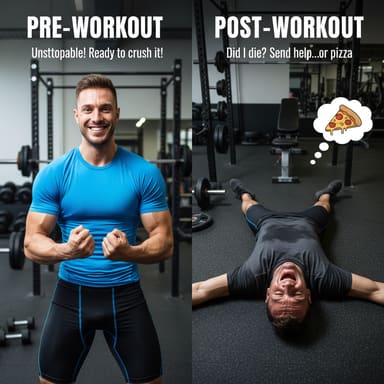
Pre-workout vs post-workout
A two-panel gym meme: a confident pose on the left, flat on the floor dreaming of pizza on the right.
First date feels
One café scene with thought bubbles over both people, showing how captions can carry the joke.
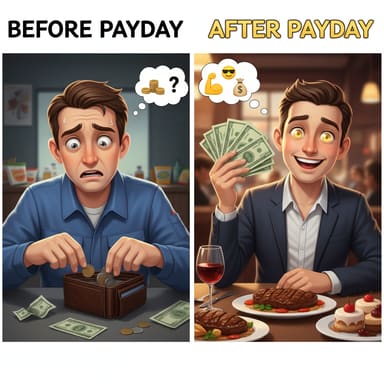
Before and after payday
The same character counting coins, then holding cash at a steak dinner: a classic contrast format.
Meme Generator: real results and prompts
We made these on 18 November 2026 with our own test account, using Nano Banana at 1K, the model this page starts with. The sample uploads were made with text-to-image first, and the people in them are AI-generated, not real. Settings and prompts are shown exactly as we used them, and where a result missed part of the prompt or has spelling mistakes, the caption says so. Click “Use this prompt” to put a prompt into the generator above.
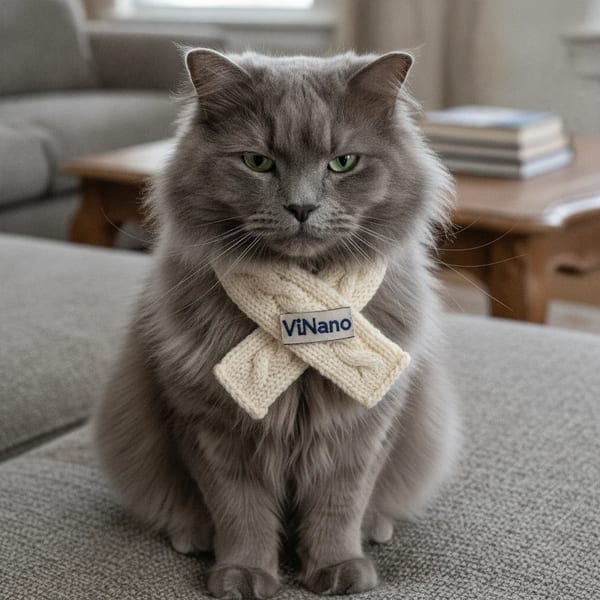
Sample upload
Prompt used to make this sample photo
A fluffy grey cat wearing a tiny knitted scarf with "ViNano" stitched on it, sitting on a sofa with a grumpy, unimpressed face, realistic close-up photo.
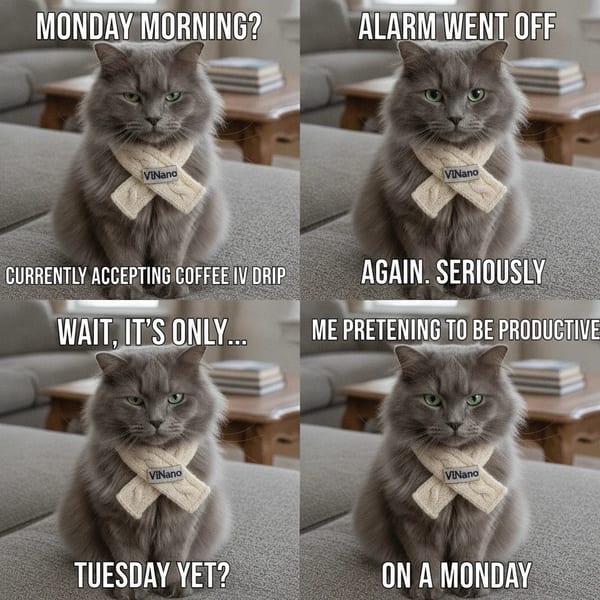
Result
Four panels with captions the model wrote around the Monday theme. The cat, the scarf and the ViNano tag stay the same in every panel.
Setting: Meme Layout: 2x2 · Add Text to Memes
Prompt
Monday morning moods
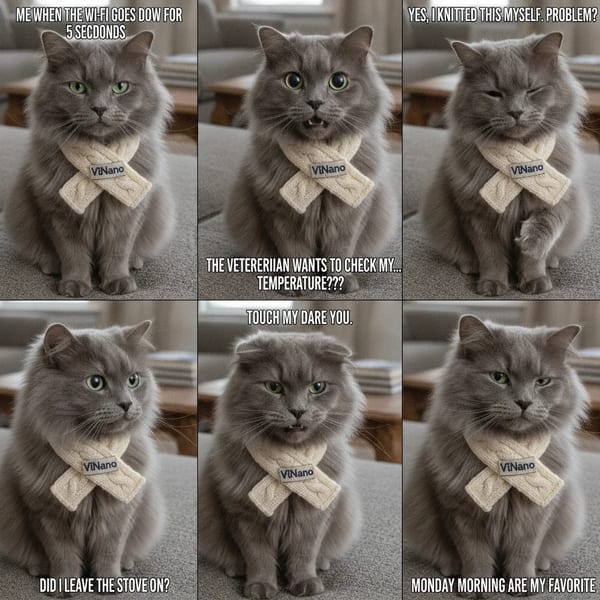
Result
Six panels with different expressions. Some captions have spelling mistakes ("DOW" for "DOWN", "VETERERIAN"), so check the text before you post.
Setting: Meme Layout: 2x3 · Add Text to Memes
Prompt
When the Wi-Fi goes down
How to Use the AI Meme Generator
- 1
Upload one photo of a person, pet or character. A clear face on a simple background keeps the character recognisable across the grid.
- 2
Choose a “Meme Layout”: 2x2 makes 4 memes, 2x3 makes 6, 3x4 makes 12 and 4x4 makes 16, all on one image.
- 3
Leave “Add Text to Memes” on if you want short English captions at the top or bottom of each meme, or switch it off for expressions only. Optionally describe a theme in the prompt box, such as “Monday at the office”.
- 4
Check the credit cost on the button, generate, and download the sheet. Crop single memes out with the built-in editing tools or any image editor.
Tips
- •Smaller grids give larger, sharper memes; a 4x4 sheet squeezes 16 faces into one image, so each one has less detail.
- •AI captions are short and sometimes misspelled. For exact wording, switch text off and add your own caption afterwards.
- •Name the emotions you want (smug, shocked, exhausted, proud) to steer the set.
Meme Layouts: From 4 to 16 Memes in One Run
A meme pack works because the same character reacts in many ways. The tool asks the image model for one sheet with a clear variation in facial expression, emotion or style in every cell, while keeping the character's identity consistent. The layout you pick sets the number of cells: 2x2, 2x3, 3x4 or 4x4.
The whole sheet is generated as one image, so a bigger grid means less resolution per meme. Use 2x2 when you want memes big enough to post on their own, and 3x4 or 4x4 when you want a reaction sheet to cut up into small chat images.
Captions: Let the AI Write Them or Add Your Own
With “Add Text to Memes” on, the model writes short, humorous English captions at the top or bottom of each meme to match the expression. It is quick, and it suits reaction packs where the wording does not need to be exact. Image models still make spelling mistakes, especially on small text in large grids.
With the option off, the instruction tells the model to keep the memes purely visual. That is the better choice when you need another language, a brand tone or an inside joke: download the sheet and type the caption yourself. If you want the AI to try specific wording, quote it in the prompt box and keep it short.
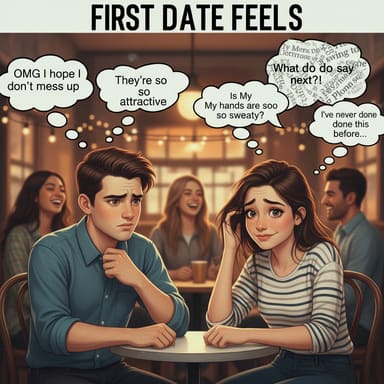
Photo Meme Ideas That Work Well
Pets are the easiest subject: a dog or cat photo turns into a full set of moods with little risk of an awkward likeness. Your own selfie works for group-chat reaction packs, and a mascot or game character gives a community its own set. Themes that describe a shared situation, such as exam week, deploy day or a family dinner, tend to produce funnier variations than a bare photo.
For a clean cut-out look, turn the best cells into stickers with the AI sticker generator, or make any other change in the AI image editor.
Use Memes of Real People Responsibly
A meme of yourself or your pet is yours to share. A meme of someone else needs their consent, and public figures are not an exception to harassment or defamation rules. Do not use the AI meme generator to put words in a real person's mouth or to pass a generated image off as a real photo, and do not upload photos of minors.
AI Meme Generator FAQ
Quick answers to keep your workflow moving.
How does the AI meme generator work?
You upload one photo and pick a grid. The tool sends the photo with an instruction to an image model, which draws the same character in each cell with a different expression and, if you leave text on, a short caption. Nano Banana is selected by default, and you can pick another model in the tool.
Can I make a meme without text?
Yes. Switch off “Add Text to Memes” and the sheet comes back with expressions only, ready for your own captions.
Can the captions be in another language?
The built-in caption option asks for English. You can request another language in the prompt box, but accuracy varies by model, so adding the text yourself afterwards is more reliable.
How much does the AI meme generator cost?
Each generation uses credits based on the model you pick, and the generate button shows the cost before you start. New accounts receive free sign-up credits; the pricing page lists credit packs and plans.
How do I split the sheet into single memes?
Download the image and crop each cell with the built-in crop tool or any photo editor. A 2x2 sheet gives the largest individual memes.
Are my photos stored or shared?
Your upload is used to create the result you ask for and is not shown as an example on this page. Storage, retention and deletion are explained in our Privacy Policy, and the data retention notice with your results shows the current setting for your account.
Need another workflow?
Browse the complete gallery of ViNano AI generation modes to find the perfect fit for your project.