
AI ID Photo Maker
All tools (30)
The AI ID photo maker turns one portrait into an ID-style photo: head centred, shoulders square, plain background. Choose 1 Inch (25×35 mm) or 2 Inch (35×49 mm), pick White, Blue, Red, Black, Light Blue or Dark Red for the background, and download the result to check against the rules for your document.
AI generation does not guarantee that an authority will accept the photo. Check the official requirements for your document before you print or submit it. Each generation uses credits, and the generate button shows the cost before you start.
Drop, paste or click to choose a photo
Needs: 1 photo · PNG, JPEG or WEBP, up to 20 MB
Checking the price…
Content generated on this platform is produced by artificial intelligence models and does not represent the platform's position. [Disclaimer]. [Privacy Policy].
AI ID Photo Maker Examples
ID-style results on plain backgrounds, for adults, seniors and children.
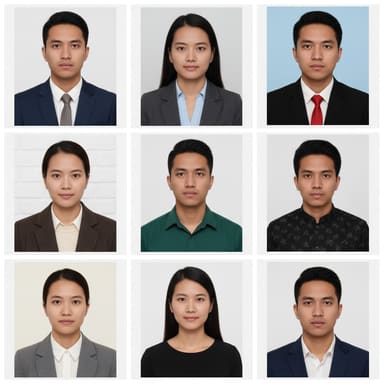
Sheet of ID photos
Nine ID-style portraits of different people, with different clothing and background colours, all framed head-and-shoulders.
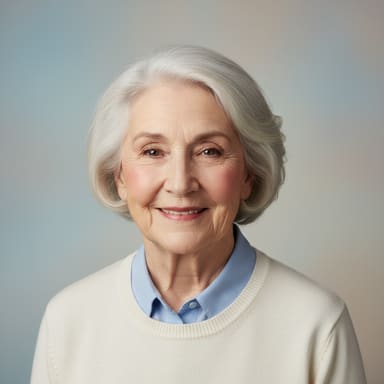
Senior portrait
An older woman, centred and evenly lit against a plain neutral backdrop.
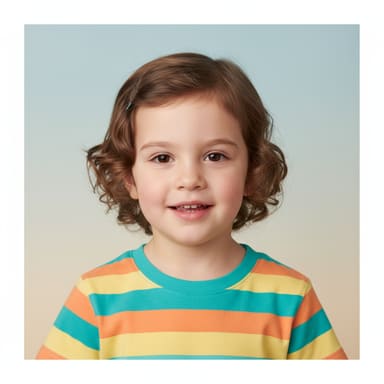
Child photo
A young child facing the camera on a pale background, the hardest ID photo to take at home.
AI ID Photo Maker: real results and prompts
We made these on 18 November 2026 with our own test account, using Nano Banana at 1K, the model this page starts with. The sample uploads were made with text-to-image first, and the people in them are AI-generated, not real. Settings and prompts are shown exactly as we used them, and where a result missed part of the prompt or has spelling mistakes, the caption says so. Click “Use this prompt” to put a prompt into the generator above.
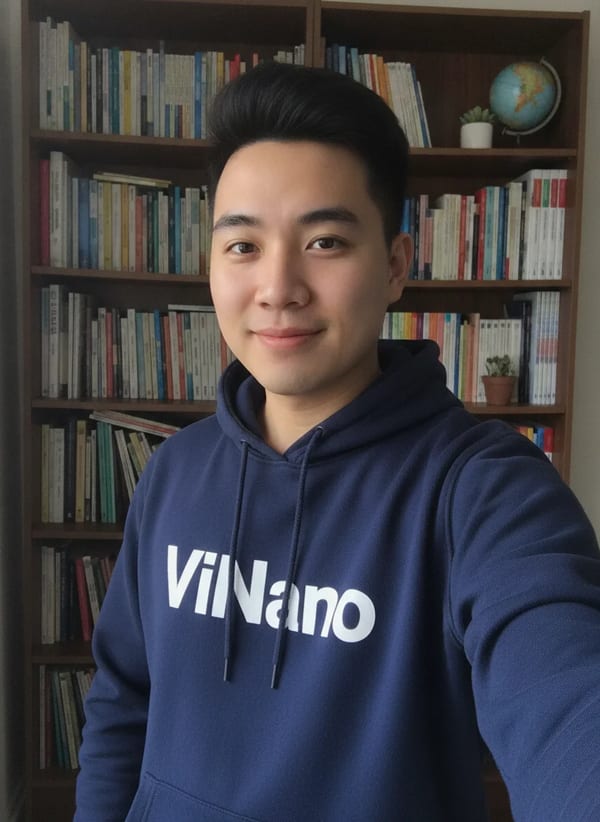
Sample upload
Prompt used to make this sample photo
A realistic casual selfie of a young man with short black hair, smiling slightly, wearing a navy hoodie with "ViNano" printed on it, indoors in front of a bookshelf.
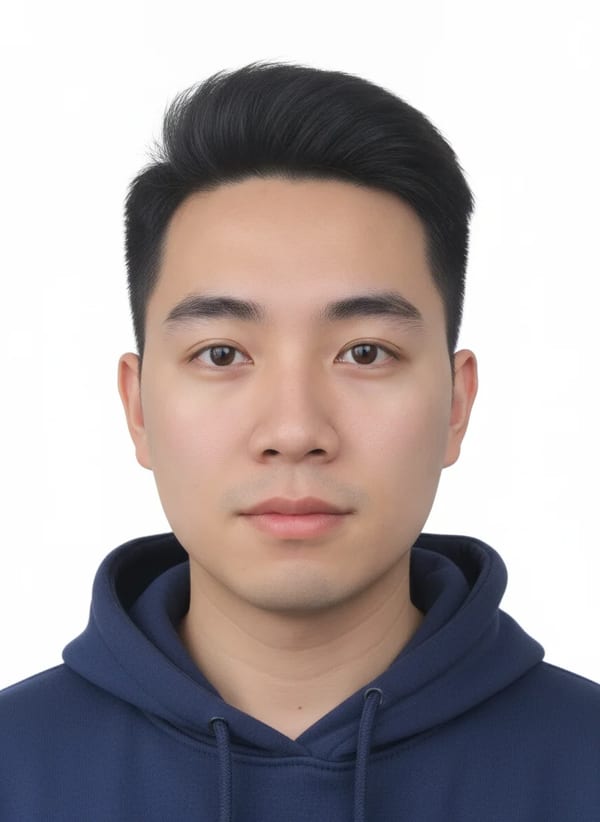
Result
A straight-on head-and-shoulders crop on white. The hoodie is kept, and the ViNano print falls outside the frame.
Setting: Photo Size: 1 Inch (25×35mm) · Background Color: White
Prompt
No extra prompt (the mode's default instructions)
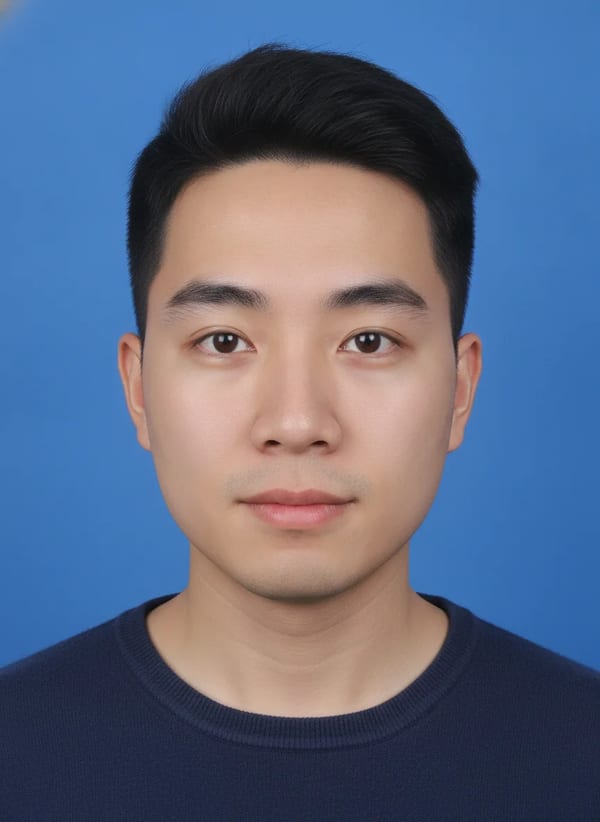
Result
The same face on blue. Here the model also swapped the hoodie for a plain dark top.
Setting: Photo Size: 2 Inch (35×49mm) · Background Color: Blue
Prompt
No extra prompt (the mode's default instructions)
AI ID Photo Maker Creation Process
- 1
Upload one clear, front-facing portrait with even lighting and visible facial features.
- 2
Choose 1 inch (25×35 mm) or 2 inch (35×49 mm) and a background color from the available settings.
- 3
Check the displayed credit cost, start generation and preview the result. Processing time depends on the selected model and service load.
- 4
Review the result against the receiving organization’s photo requirements. AI generation does not guarantee acceptance.
Tips
- •Upload one clear, front-facing portrait with even lighting and visible facial features.
- •Choose 1 inch (25×35 mm) or 2 inch (35×49 mm) and a background color from the available settings.
- •Review the result against the receiving organization’s photo requirements. AI generation does not guarantee acceptance.
ID Photo Sizes and Background Colors
The AI ID photo maker offers two sizes. 1 Inch is 25×35 mm and 2 Inch is 35×49 mm, the “one-inch” and “two-inch” formats widely used in China and other parts of Asia for forms, certificates and résumés. They are not the same as the 2×2 inch (51×51 mm) photo used for US passports or the 35×45 mm photo used by many other countries, so measure what your form asks for.
Background colours are White, Blue, Red, Black, Light Blue and Dark Red. The size you choose tells the model how to frame the head and shoulders, but the downloaded file is an image, not a print-ready sheet: its proportions can differ slightly from the exact ratio, so crop it to the official size before printing.
What Official Photo Rules Usually Ask For
Every authority publishes its own rules, and they differ. As one example, the UK government's rules for passport photos ask for a clear colour photo against a plain light-coloured background, facing forwards with a plain expression, mouth closed and eyes open, with no shadows on the face. Printed photos there must measure 45 mm high by 35 mm wide.
The same rules say the photo must be unaltered by computer software. That matters here, because an AI-made ID photo is a digitally generated image, and some authorities reject edited or generated photos outright. Use this tool for documents that allow it, such as internal badges, membership cards, résumés and school or company forms, and always read the rules of the organisation that will receive the photo.
How to Take a Portrait That Converts Well
Stand about an arm's length from a plain wall, face a window so that light falls evenly on both cheeks, and hold the camera at eye level. Keep your head straight, hair off your face, mouth closed and eyes open. Remove hats, sunglasses and headphones unless the document allows them.
Upload the original photo, not a screenshot. The tool keeps your face and re-renders framing, clothing edges and background, so check that moles, glasses, hairline and face shape still match you before you use the result. If you only need a new background on a photo that is already compliant, the background remover changes less of the picture.
Privacy and Identity Documents
An ID photo identifies you, so treat it with care. Upload only your own portrait or one you have permission to use, and never use a generated photo to misrepresent who you are. Your upload is used to create the result you ask for; storage, retention and deletion are explained in our Privacy Policy. For other portrait edits, the AI image editor accepts instructions in plain words.
AI ID Photo Maker FAQ
Quick answers to keep your workflow moving.
Will a passport or visa office accept an AI ID photo?
It depends on the authority, and many do not accept digitally altered or AI-generated photos. The tool cannot guarantee acceptance. Read the official requirements first; when in doubt, use a photo booth or a studio.
What sizes does the AI ID photo maker support?
1 Inch (25×35 mm) and 2 Inch (35×49 mm). Other formats, such as 2×2 inch or 35×45 mm, are not preset; crop the result yourself if you need them.
Which background colors can I choose?
White, Blue, Red, Black, Light Blue and Dark Red. White is selected by default.
Can I change my clothes or add a suit?
This mode has no prompt box: it takes a photo, a size and a background colour. For a business look with a different outfit, use the AI headshot generator.
How much does the AI ID photo maker cost?
Each generation uses credits based on the model you pick, and the generate button shows the cost before you start. New accounts receive free sign-up credits; the pricing page lists credit packs and plans.
Are my photos stored or shared?
Your upload is used to create the result you ask for and is not shown as an example on this page. Storage, retention and deletion are explained in our Privacy Policy, and the data retention notice with your results shows the current setting for your account.
Need another workflow?
Browse the complete gallery of ViNano AI generation modes to find the perfect fit for your project.