
AI Figure Generator: Turn Your Photo into a Collectible Figure
All tools (30)
The AI figure generator turns one photo of a person, pet or character into a picture of a collectible figure: a small statue on a round base, with a box that carries the character's artwork behind it. Choose where the figure is displayed, add optional details, and download the image.
This tool makes an image of a figure, not a physical product or a 3D file. Each generation uses credits, and the generate button shows the cost before you start. Only upload photos you have the right to use.
Drop, paste or click to choose a photo
Needs: 1 photo · PNG, JPEG or WEBP, up to 20 MB
Checking the price…
Content generated on this platform is produced by artificial intelligence models and does not represent the platform's position. [Disclaimer]. [Privacy Policy].
AI Figure Generator Examples
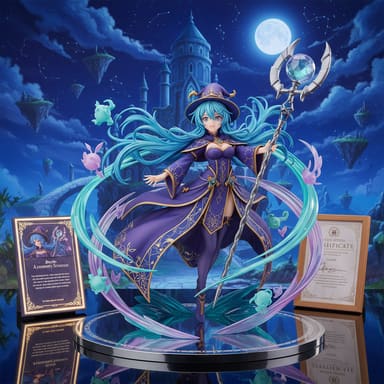
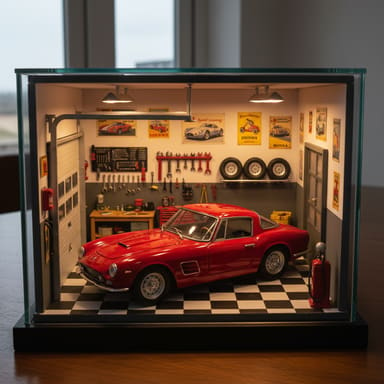
Three results that show the kind of figure render the tool produces: a display case, a posed figure with printed art, and a miniature diorama.
Hero figure in a display case
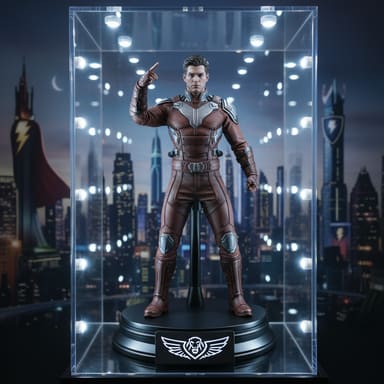
An armoured hero figure standing on a round black base inside a lit glass case, the look of the “Showcase” scene.
Anime mage with printed art
A long-haired mage figure on a clear round base, with printed character cards standing beside it like packaging art.
Miniature garage diorama
A red classic sports car model parked in a tiny garage and sealed in a glass box: objects can become collectibles too.
Figure Effect: real results and prompts
We made these on 18 November 2026 with our own test account, using Nano Banana at 1K, the model this page starts with. The sample uploads were made with text-to-image first, and the people in them are AI-generated, not real. Settings and prompts are shown exactly as we used them, and where a result missed part of the prompt or has spelling mistakes, the caption says so. Click “Use this prompt” to put a prompt into the generator above.
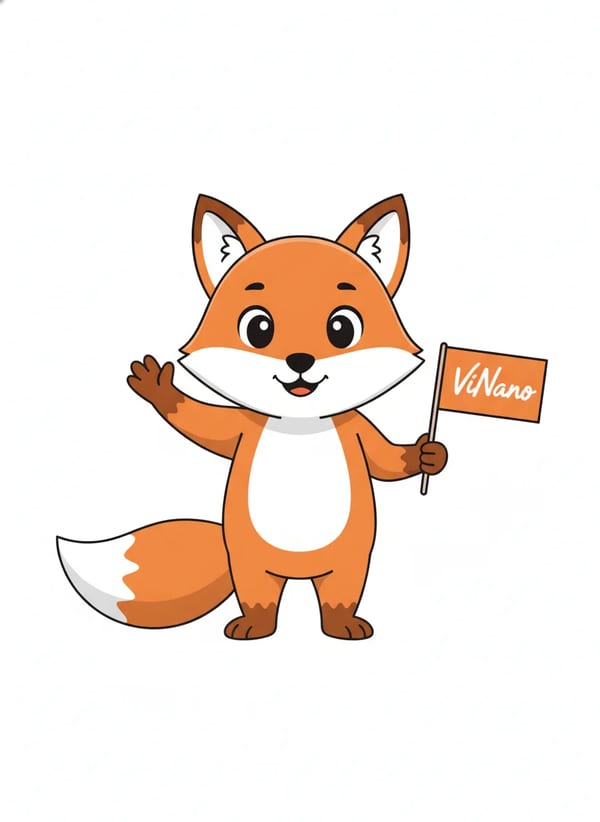
Sample upload
Prompt used to make this sample photo
A friendly cartoon fox mascot standing and waving, holding a small orange flag that says "ViNano", full body, simple flat illustration on a plain white background.
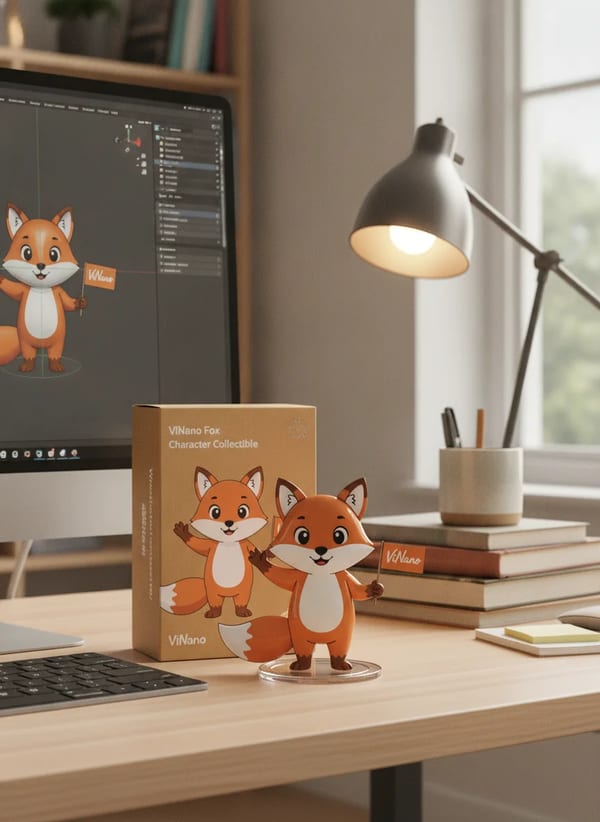
Result
The fox becomes a collectible figure on a desk, with a printed box beside it and the 3D model open on the monitor.
Setting: Scene Selection: Home Desk
Prompt
No extra prompt (the mode's default instructions)
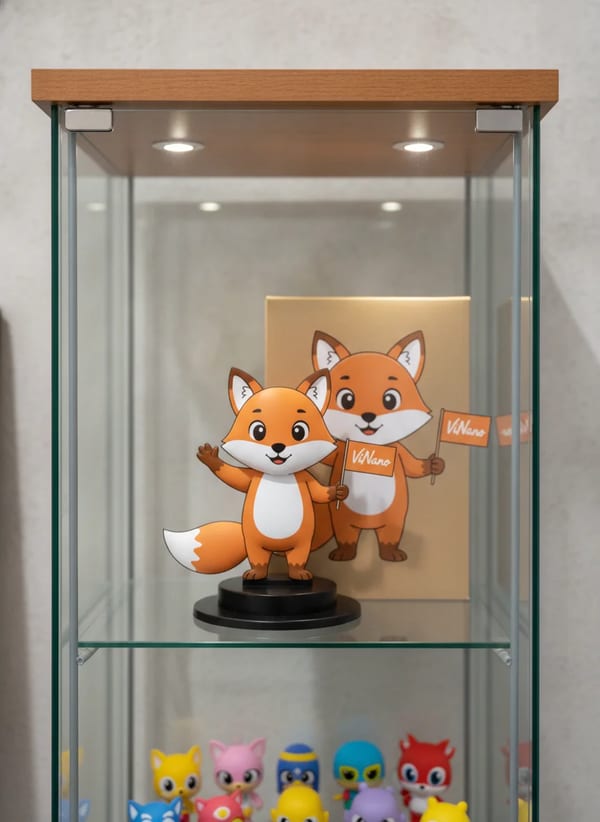
Result
The same fox as a figure in a glass display cabinet. This time the model added a second fox figure behind the first.
Setting: Scene Selection: Showcase
Prompt
No extra prompt (the mode's default instructions)
How to Use the AI Figure Generator
- 1
Upload one photo. A full-body or half-body shot with the face clearly visible works best, because the figure copies the pose, outfit and hairstyle it can see.
- 2
Open “Scene Selection” and choose where the figure stands: Home Desk, Home Bookcase, Home TV Cabinet, Office Workstation, Office Conference Room, Photos, Showcase, Bedside Table or Car Interior Ornaments.
- 3
Optionally type extra requirements in the prompt box, such as “glossy PVC finish” or “keep the red jacket”. Check the credit cost on the button and generate.
- 4
Review the result, rerun with a different scene if you want another setting, then download the image from the result or from your history.
Tips
- •One clear subject per photo gives the cleanest figure; group photos tend to merge people or drop someone.
- •Name the details that matter, such as outfit colours, a prop or a logo, because small features are the first thing a figure render simplifies.
- •The box art and any lettering on it are generated, so expect invented or misspelled text; rerun if the packaging matters.
Nine Display Scenes for Your AI Figure
Every run combines your photo with one scene instruction. All nine scenes ask for the same three things: a character figure made from your photo, a round plastic base under it, and a box with the character's image printed on it. What changes is the setting around them.
Home Desk and Office Workstation add a computer screen that shows the figure's 3D modelling process, the detail that made this style popular. Home Bookcase, Home TV Cabinet and Bedside Table place the figure among books, a television or a lamp. Office Conference Room uses a meeting table and a whiteboard, Photos gives a clean studio backdrop with soft shadows, Showcase puts the figure in a glass cabinet with spotlights, and Car Interior Ornaments mounts it on a dashboard.
Which Photos Make the Best AI Action Figure
An AI action figure generator can only sculpt what it sees. A full-body photo lets the model copy the whole pose; a head-and-shoulders selfie forces it to invent the body and the clothes. Plain backgrounds help, because the model does not have to decide which objects belong to the character.
Pets, mascots, game characters and drawings work as well as people. For a product or a vehicle, say in the prompt box that you want a scale model or a diorama, as in the third example above. Faces are restyled into a painted-figure look, so expect a likeness, not a copy of the photo.
What People Use an AI Figurine Generator For
Most figure renders end up as profile pictures, birthday or fandom posts and gift mock-ups: a friend as a boxed collectible, a team mascot on a desk, a pet as a shelf figurine. Creators also use them as concept shots before commissioning a real sculpt, or as thumbnails for unboxing-style videos.
If you want the figure to move, upload the result as the reference image in the AI video generator and describe a slow turntable spin. For edits the scenes do not cover, such as a different box design, open the AI image editor and describe the change in words.
What the AI Figure Generator Does Not Do
The result is a single picture. It is not a printable 3D model, a turnaround sheet or a product listing, and no physical figure is made or shipped. Scale markings, brand names and certificates that appear on the box are decoration created by the model.
Do not upload photos of other people without their permission, and do not use real brand packaging or copyrighted characters commercially without the rights to do so.
AI Figure Generator FAQ
Quick answers to keep your workflow moving.
What is an AI figure generator?
It is a tool that redraws a photo as a picture of a collectible figure. Here you upload one photo, pick a display scene, and an image model renders the subject as a figure on a round base with printed box art. Nano Banana is selected by default, and you can pick another model in the tool.
Can I make an action figure of myself from a selfie?
Yes. A selfie works, but a full-body photo gives a better result because the model can copy your real outfit and pose instead of inventing them. Add the accessories you want in the prompt box.
How much does the AI figure generator cost?
Each generation uses credits based on the model you pick, and the generate button shows the cost before you start. New accounts receive free sign-up credits; the pricing page lists credit packs and plans.
Can I get a 3D file or order the figure?
No. The output is an image only. There is no STL or OBJ export and no printing service; treat it as a visual mock-up.
Why is the text on the box wrong?
Lettering is generated together with the picture, so names and logos can be misspelled or invented. Ask for specific wording in the prompt box and rerun, or remove the text afterwards in an editor.
Are my photos stored or shared?
Your upload is used to create the result you ask for and is not shown as an example on this page. Storage, retention and deletion are explained in our Privacy Policy, and the data retention notice with your results shows the current setting for your account.
Need another workflow?
Browse the complete gallery of ViNano AI generation modes to find the perfect fit for your project.