
AI Comic Storyboard Generator
All tools (30)
The AI comic storyboard generator turns one image into a page of comic panels that tell a story. Upload a photo or a character drawing, keep the pre-filled nine-panel prompt or describe your own plot, and download a comic storyboard with varied camera angles, speech bubbles and clear panel borders.
Each generation uses credits, and the generate button shows the cost before you start. Only upload images you have the right to use.
Drop, paste or click to choose a photo
Optional, up to 1 photo · PNG, JPEG or WEBP, up to 20 MB
Checking the price…
Content generated on this platform is produced by artificial intelligence models and does not represent the platform's position. [Disclaimer]. [Privacy Policy].
AI Comic Storyboard Examples
Three pages with different panel counts and genres.
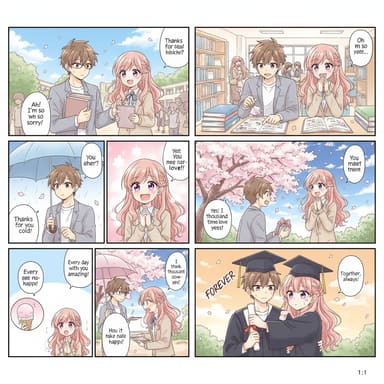
Campus romance page
A pastel romance told across a full page of panels, from a first meeting to graduation, with dialogue in every frame.
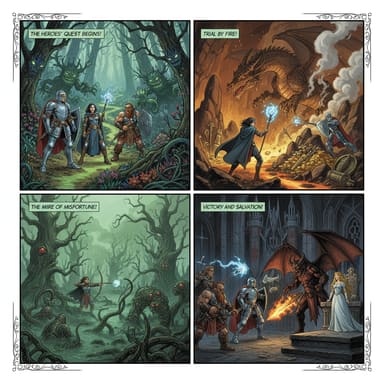
Fantasy quest in four panels
A four-panel quest with caption boxes: a forest march, a dragon's lair, a swamp and a final battle.
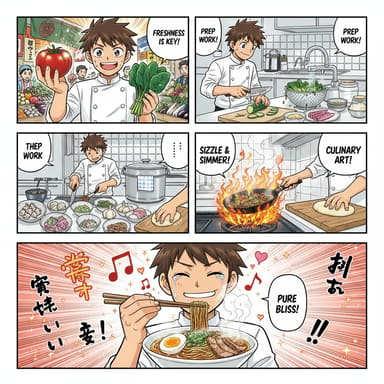
Cooking story
A chef's day from the market to a bowl of ramen, mixing small process panels with one wide final panel.
Comic Storyboard: real results and prompts
We made these on 18 November 2026 with our own test account, using Nano Banana at 1K, the model this page starts with. We tried several prompts for this mode and show the better results; where a result has spelling mistakes, added something or missed part of the prompt, the caption says so. Click “Use this prompt” to put a prompt into the generator above.
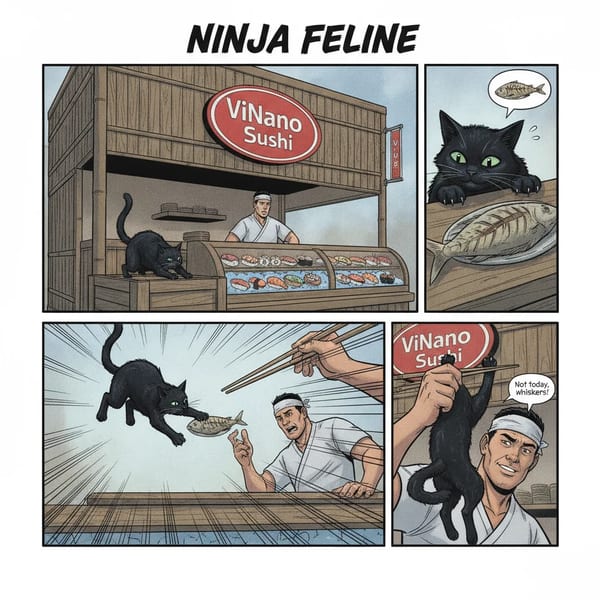
Four panels: the cat sneaks up to the ViNano Sushi stand, grabs a fish, leaps and gets caught by the chef. The model also added its own title, "NINJA FELINE".
Prompt
A cat tries to steal a fish from a sushi stand called ViNano and gets caught by the chef
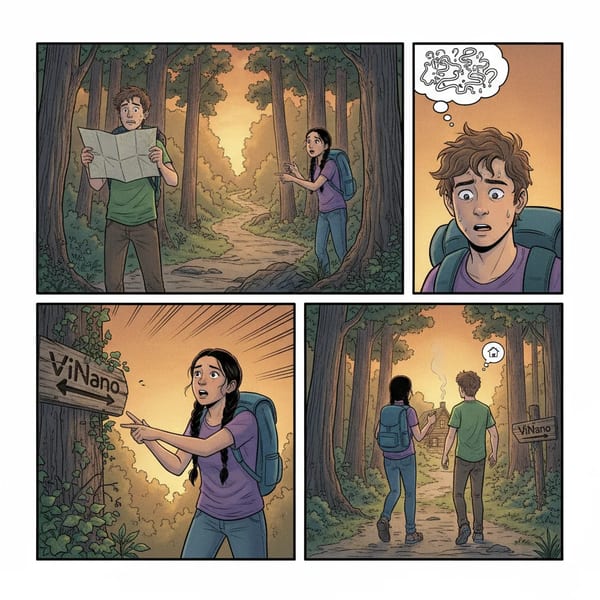
Two lost hikers, a worried close-up, a ViNano trail sign pointing the way and the walk back.
Prompt
Two friends get lost on a hike and find their way back by following a trail sign that reads ViNano
How to Use the AI Comic Storyboard Generator
- 1
Upload one image: a photo of a person or a pet, a character design or a scene.
- 2
Read the pre-filled prompt, which asks for a nine-panel comic storyboard with close-ups, wide shots, speech bubbles and thought balloons. Edit it to set the plot, the number of panels and the tone, for example “four panels, slice-of-life comedy, a cat steals breakfast”.
- 3
Check the credit cost on the button and generate.
- 4
Read the page in order, rerun with a clearer beat-by-beat prompt if the story jumps, and download.
Tips
- •Write the story as numbered beats, one per panel; the model follows a list better than a paragraph.
- •Four to six panels keep faces large; nine is a practical upper limit for one image.
- •Ask for empty speech bubbles if you plan to letter the page yourself.
What the AI Comic Storyboard Generator Produces
You get one image laid out as a comic page: bordered panels with gutters, a mix of close-ups, wide shots and dramatic angles, and speech bubbles or caption boxes. The brief behind the tool asks the model for a narrative arc with a beginning, a middle and an end, larger panels for key moments, and a layout that guides the eye from panel to panel.
The subject of your upload becomes the lead character or the setting. The story itself comes from your prompt, or from the model's imagination if you keep the default. Nano Banana is selected by default, and you can pick another model in the tool.
How to Write a Comic Storyboard Prompt
Start with format and genre: “six-panel page, noir detective”. Then list the beats in order. Name the camera when it matters (“panel 3: extreme close-up on the key”), and keep dialogue to a few words per bubble, because long text is where image models make spelling mistakes.
State the reading direction if you want right-to-left manga flow, and the art style if you have one in mind: American superhero inks, European clear line, a watercolor children's book or screentoned manga.
Storyboards for Comics, Video and Pitches
Comic writers use the page as a thumbnail draft to check pacing before drawing. Video creators and marketers use it as a shot list: each panel becomes a scene to film or to animate with the AI video generator. Teachers turn a class photo into a story for reading practice, and families turn a holiday into a comic strip.
To refine a single panel, crop it and continue in the AI image editor with a plain-language instruction.
Limits: Consistency and Lettering
All panels are drawn in one pass, which keeps the style consistent across the page, but a character's outfit or hair can still vary between panels, and the tool does not remember characters between runs. Lettering is approximate. For a multi-page comic, reuse the same character description in every prompt and expect to fix text by hand.
AI Comic Storyboard Generator FAQ
Quick answers to keep your workflow moving.
What is an AI comic storyboard generator?
It is a tool that turns an image and a short story idea into a page of comic panels. Here an image model draws the whole page in one run.
How many panels can a comic storyboard have?
The pre-filled prompt asks for nine. You can ask for fewer; four to six panels give larger, cleaner drawings.
Can I write my own dialogue?
Yes. Put short lines in the prompt and assign them to panels. Generated text can contain errors, so many people request empty bubbles and add the text later.
Does it work for film storyboards too?
Yes. Ask for “film storyboard, no speech bubbles, shot labels” to get a shot-by-shot board instead of a comic page.
How much does the AI comic storyboard generator cost?
Each generation uses credits based on the model you pick, and the generate button shows the cost before you start. New accounts receive free sign-up credits; the pricing page lists credit packs and plans.
Are my images stored or shared?
Your upload is used to create the result you ask for and is not shown as an example on this page. Storage, retention and deletion are explained in our Privacy Policy, and the data retention notice with your results shows the current setting for your account.
Need another workflow?
Browse the complete gallery of ViNano AI generation modes to find the perfect fit for your project.