人像:淡淡微笑與緩慢推近
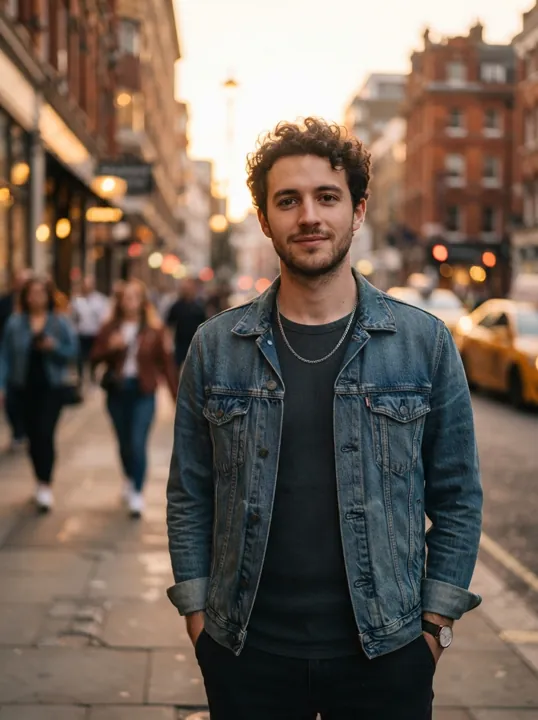
提示詞: The man smiles slightly and turns his head toward the camera as a light breeze moves his hair; people walk past in the soft-focus background; slow camera push-in, warm golden hour light
以下每段影片皆於 2026 年 11 月 1 日由旁邊的照片生成,使用 Seedance 1.0 Pro,長度 5 秒、720p,提示詞即所示內容。範例照片均為 AI 生成,未使用任何真人肖像。
提示詞: The man smiles slightly and turns his head toward the camera as a light breeze moves his hair; people walk past in the soft-focus background; slow camera push-in, warm golden hour light

提示詞: Slow orbit around the perfume bottle, light glints across the glass and the amber liquid shimmers, the dried flowers sway gently, soft studio lighting
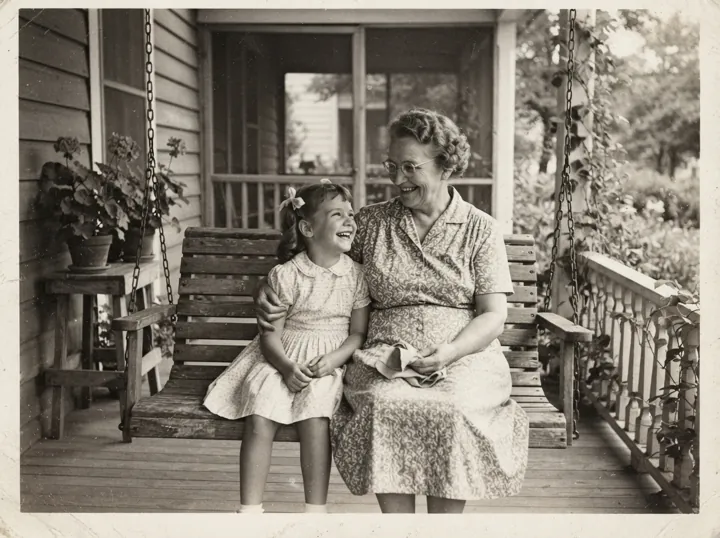
提示詞: The grandmother and the little girl gently swing on the porch swing and laugh together, the girl leans on her shoulder, subtle natural movement, keep the black-and-white vintage look
在上方的圖片框中上傳一張照片。JPG、PNG、WebP 等常見格式皆可,主體清楚的照片生成的動作更自然。
描述想要的動作與運鏡,然後選擇模型、長度、解析度與畫面比例。開始之前,生成按鈕上會顯示所需積分。
開始生成,通常需要幾分鐘,你可以在影片紀錄中查看進度。完成後下載 MP4。如果生成失敗,積分會自動退還。
以下每個模型都支援以照片作為起點。Veo 來自 Google DeepMind,Seedance 來自 ByteDance Seed;每個模型名稱都連結到它在 ViNano 上的頁面,可查看完整設定。
| 模型 | 影片長度 | 解析度 | 聲音 |
|---|---|---|---|
| Veo 3.1 | 由模型決定 | 720p / 1080p / 4K | 是 |
| Seedance 1.0 Pro | 5 / 10 s | 480p / 720p / 1080p | 否 |
| Seedance 2.0 Pro | 5 / 10 / 15 s | 480p / 720p / 1080p | 是 |
| Seedance 2.5 | 5 / 10 / 15 s | 480p / 720p / 1080p | 是 |
| MiniMax H3 | 5 / 10 / 15 s | 768p / 2K | 是 |
| Grok Imagine | 6–30 s | 480p / 720p | 是 |
例如,5 秒的 Seedance 1.0 Pro 影片在 480p 需要 90 積分,在 720p 需要 190 積分;一段 Veo 3.1 Fast 影片需要 180 積分。影片價格對免費帳號與付費帳號相同,生成按鈕會先顯示確切費用。
如果你已經有想讓它動起來的圖片,例如人像、產品照或修復好的家庭老照片,就用照片轉影片。影片從你的照片出發,因此人臉、產品與構圖都能保持可辨識。
如果你只有想法、還沒有圖片,就用文字轉影片,由模型根據你的描述生成整個場景。你也可以先用 AI 圖片生成器生成圖片,再回到這裡讓它動起來。
在 ViNano AI,用最先進的 ViNano AI 模型技術生成圖片,再探索 AI 生成的精彩影片內容,體驗創意影片的無限可能
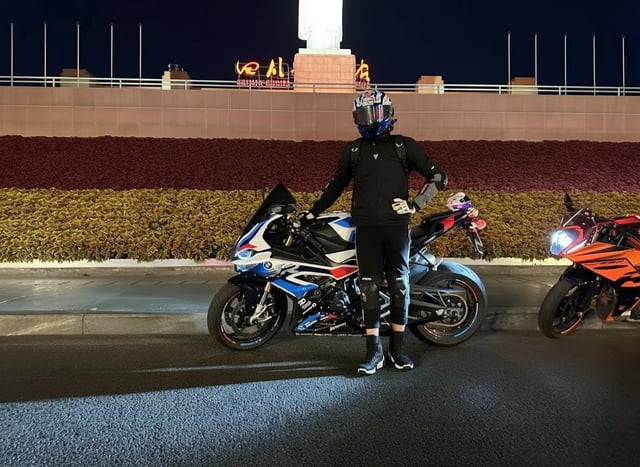
從普通車輛照片到人物酷炫姿態,展現更加動感的車輛主題場景,只需一張原圖即可完成創作。
"Change the person in the photo to get out of the car, stand next to the car, and pose in a cool way"
"Use the motorcycle and rider in the picture to generate a photo of riding fast in the rain. In the lens, you can see raindrops falling, passing through a puddle, splashing a little water towards the lens, and then the lens immediately switches to capture the back of the motorcycle."
...點擊查看完整提示詞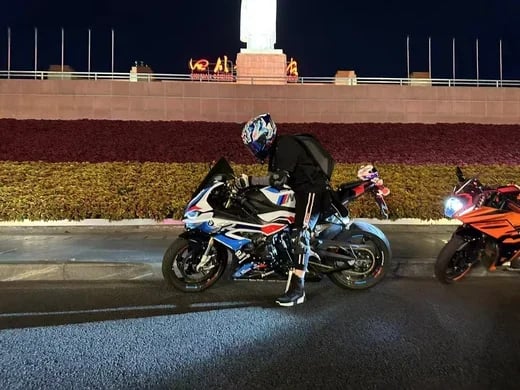
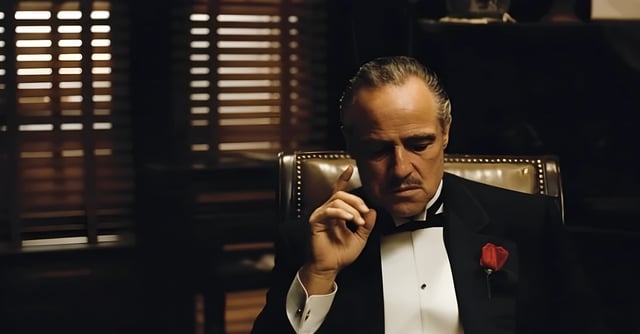
從商務人士到未來戰士的驚人變身,電影級特效展現科幻魅力。
"A cinematic 8-second video in a dark, dramatic office with Venetian blinds casting striped shadows across the room. Scene begins with the man on the left, who was leaning in to whisper, slowly standing upright and walking away into the shadows. The camera tracks smoothly, keeping the central figure in focus. The central man, seated in a leather chair, lowers his hand, then rises slowly with authority. As he stands, his elegant black tuxedo instantly transforms into a glowing, futuristic Iron Man–style suit of armor, with metallic plates snapping into place across his body in rapid succession. The camera performs a dynamic dolly zoom, emphasizing the transformation. Once fully armored, he raises his right arm, a glowing weapon emerges, and he points it directly at the camera. The camera shifts to a close-up, the glowing barrel of the weapon filling the frame. In the final moment, a powerful energy blast fires directly into the lens, and the screen flashes white with cinematic sound design."
...點擊查看完整提示詞
從新娘裝到多種服裝的快速變換,展現 AI 在時尚領域的創造力。
"Help me quickly change the outfit of this bride in a wedding dress, from the style in the picture to a professional outfit, then to a mecha outfit, and finally to a swimsuit. The camera rotates 360 degrees and slowly zooms out; the girl's eyes follow the camera."
...點擊查看完整提示詞

了解如何使用我們的AI影片生成工具,快速創建專業級影片內容。