




所有可用模式 (26)
精选案例展示
在ViNano AI,用最先进的ViNano AI模型技术生成图片,再探索AI生成的精彩视频内容,体验创意视频的无限可能


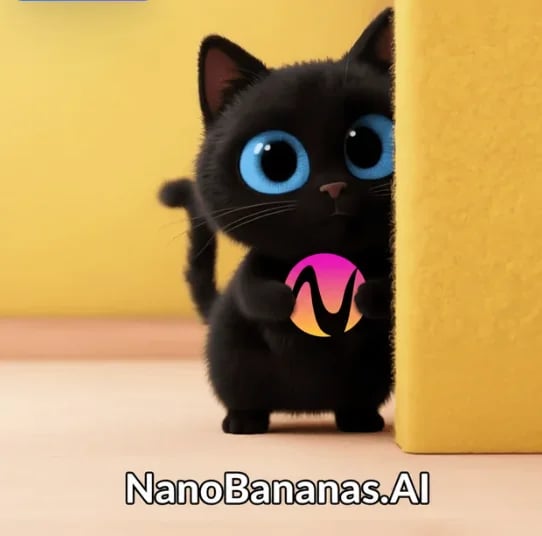
电商产品走秀
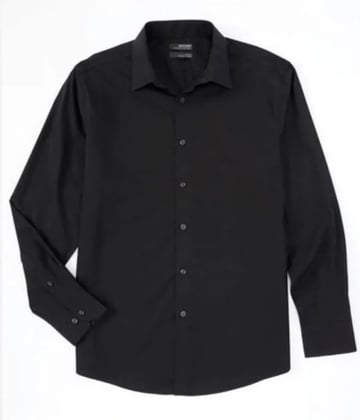
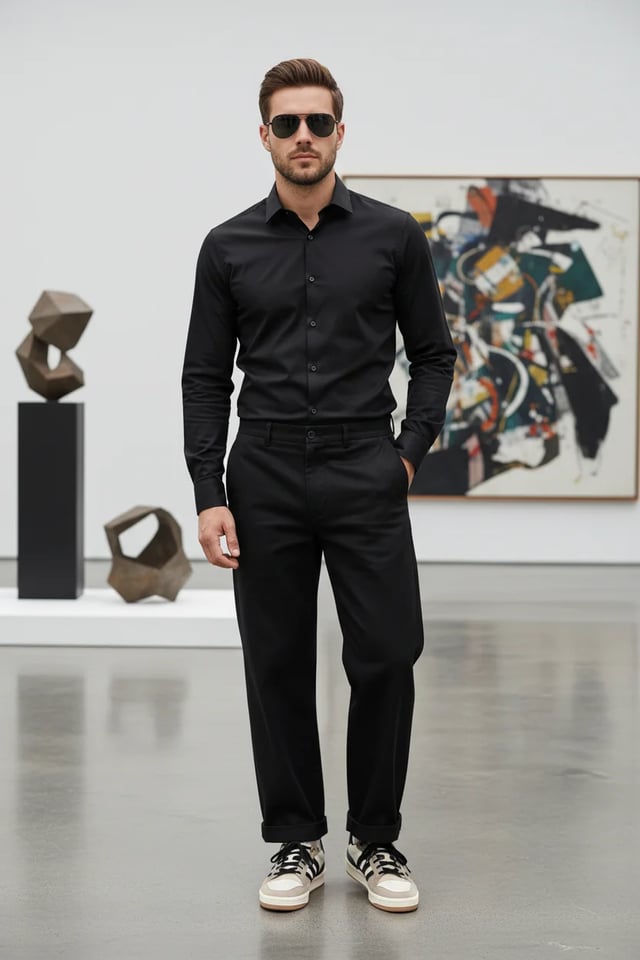
从图片到产品走秀视频,只需几张商品素材原图,花费几分钟的时间即可完成创作。
步骤流程
生成电商产品展示图片的提示词案例
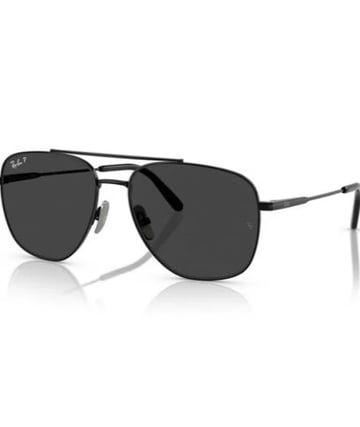
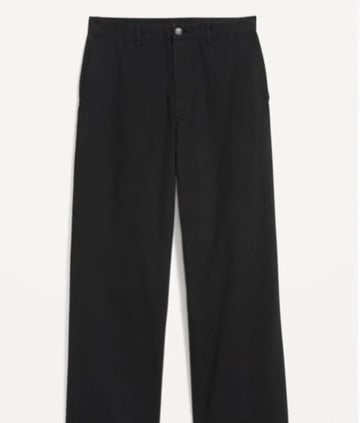
"Compose a complete men's outfit photograph featuring: stylish clothing items, accessories, sunglasses, and the male model wearing the complete coordinated look. Create a full-body fashion photograph with professional studio lighting. Show the outfit styling in an elegant, modern setting. Use fashion photography techniques with proper posing, lighting, and background. Ensure all accessories complement the overall aesthetic for a sophisticated, contemporary men's fashion editorial look."
...点击查看完整提示词生成电商产品展示视频的提示词案例
"Generate a cinematic high-fashion runway show video featuring a confident male model wearing an all-black outfit (black shirt, tailored black trousers, sunglasses, and stylish sneakers). The runway is futuristic and illuminated by dramatic white spotlights, with a cheering audience seated on both sides, flashing cameras, and a glamorous fashion week atmosphere. Start with an establishing wide-angle shot: the runway extends forward, lined with LED floor panels glowing beneath his steps. Audience members clap, some raise phones to record, flashes from cameras sparkle across the room. Cut to a medium shot of the model walking confidently, his sunglasses reflecting the bright runway lights. Track the camera smoothly alongside him, highlighting his posture and self-assured expression. Transition to a close-up slow-motion shot of his feet as they strike the runway with sharp precision, showing detail in his sneakers and the polished surface of the stage. Switch to audience reaction shots: elegant guests applauding, paparazzi taking photos, phones capturing video, faces lit by camera flashes. Add dynamic pans that follow the energy of the crowd. Include background details like fashion show banners, subtle haze from stage fog, and moving spotlights crossing the ceiling. Introduce a crane shot sweeping from above, capturing the model’s silhouette walking down the illuminated runway, surrounded by light beams cutting through the dark hall. Transition to a dolly-in shot focusing on his torso and face, emphasizing charisma and presence. Add subtle lens flares and cinematic depth of field. As he approaches the end of the runway, create a dramatic pause: zoom in to his face as he briefly removes his sunglasses, looking into the camera with a confident smirk. Audience erupts with applause, flashbulbs explode, and the lights intensify around him. Conclude with a full frontal shot: the model stops at the runway edge, striking a final pose under a spotlight, with the crowd cheering and lights shimmering. Fade out with the echoes of applause and the flicker of camera flashes, leaving a powerful high-fashion impression."
...点击查看完整提示词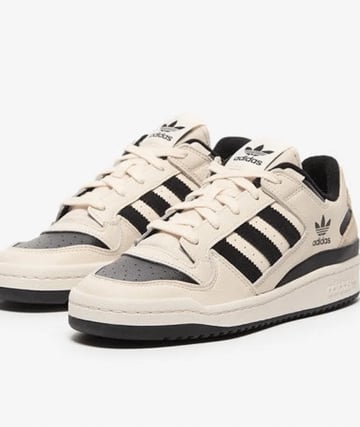

组装跑车上赛道
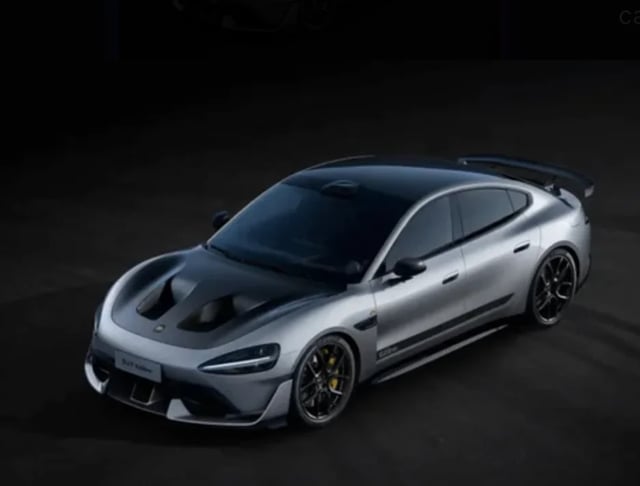
从汽车零件图片,组装成跑车,然后AI生成上赛道的视频,只需一张汽车素材原图,花费几分钟的时间即可完成创作。
步骤流程
生成组装跑车图片的提示词案例
"Assemble the car parts in this picture into a complete sports car, viewing at a 45-degree angle, keeping the body color unchanged"
生成上赛道视频的提示词案例
"An 8-10 second cinematic car commercial. A futuristic silver sports sedan with a carbon-fiber hood races down a dark runway at night. Start with a dramatic wide shot of glowing runway lights igniting one by one as the car speeds forward. Camera sweeps low across the asphalt, capturing sparks from the tires and golden brake calipers flashing. Slow-motion side view of the car drifting through neon-lit curves, the metallic body reflecting streaks of light. Quick aerial drone shot as the car accelerates, engine roaring, leaving behind glowing light trails. Final close-up: the car bursts through smoke, headlights blasting directly into the lens, ending with a neon logo reveal and explosive bass hit."
...点击查看完整提示词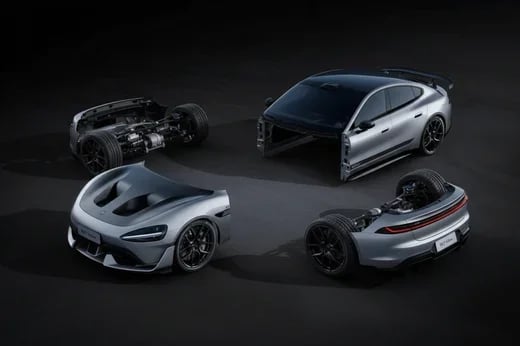
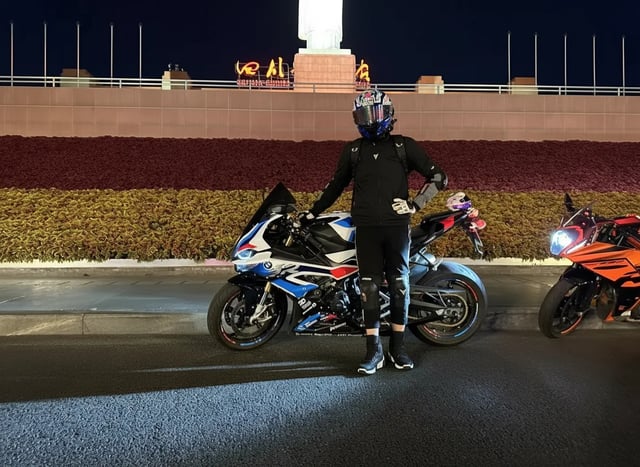
酷炫车辆姿态
从普通车辆照片到人物酷炫姿态,展现更加动感的车辆主题场景,只需一张原图即可完成创作。
步骤流程
生成酷炫姿态图片的提示词案例
"Change the person in the photo to get out of the car, stand next to the car, and pose in a cool way"
生成摩托车雨中疾驰视频的提示词案例
"Use the motorcycle and rider in the picture to generate a photo of riding fast in the rain. In the lens, you can see raindrops falling, passing through a puddle, splashing a little water towards the lens, and then the lens immediately switches to capture the back of the motorcycle."
...点击查看完整提示词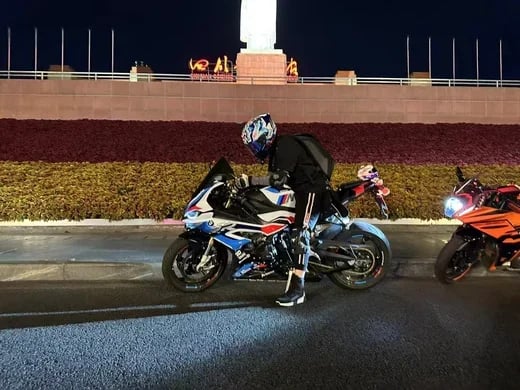
科幻战士变身
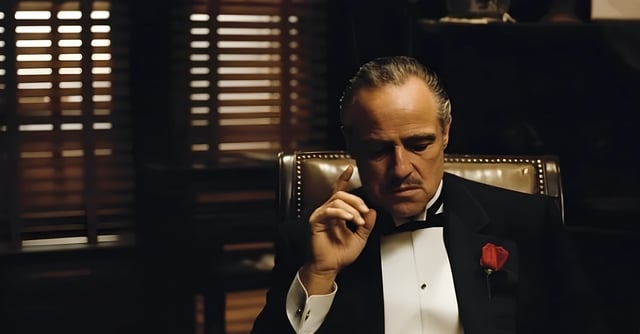
从商务人士到未来战士的惊人变身,电影级特效展现科幻魅力。
步骤流程
生成科幻战士变身视频的提示词案例
"A cinematic 8-second video in a dark, dramatic office with Venetian blinds casting striped shadows across the room. Scene begins with the man on the left, who was leaning in to whisper, slowly standing upright and walking away into the shadows. The camera tracks smoothly, keeping the central figure in focus. The central man, seated in a leather chair, lowers his hand, then rises slowly with authority. As he stands, his elegant black tuxedo instantly transforms into a glowing, futuristic Iron Man–style suit of armor, with metallic plates snapping into place across his body in rapid succession. The camera performs a dynamic dolly zoom, emphasizing the transformation. Once fully armored, he raises his right arm, a glowing weapon emerges, and he points it directly at the camera. The camera shifts to a close-up, the glowing barrel of the weapon filling the frame. In the final moment, a powerful energy blast fires directly into the lens, and the screen flashes white with cinematic sound design."
...点击查看完整提示词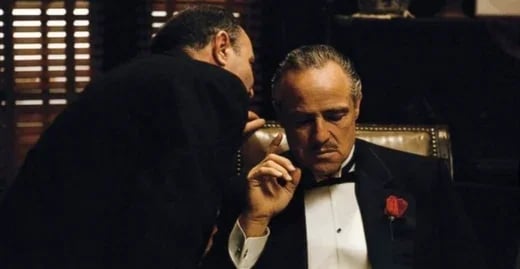
ViNano AI 2&Pro 图片创作工具
通过文字提示和参考图片生成、编辑图片,分辨率及可用设置依所选模型而异。
图片生成
通过文字提示和参考图片生成、编辑图片,分辨率及可用设置依所选模型而异。
可选输出分辨率
默认分辨率为 1K。可选的 1K、2K、4K 取决于所选模型的配置,请在生成前选择分辨率;输出不会自动放大。
按指令编辑图片
描述光线、色彩或细节的修改要求,检查结果并按需要调整输入;额外的图片增强是独立操作。
多语言文字呈现
可尝试不同语言和样式的文字,准确度取决于模型、文案和版面布局,使用前请检查拼写与可读性。
🚀 高品质快速生成
生成时间取决于模型、分辨率、请求复杂度和服务负载。部分请求可能需要较长时间,请查看任务状态了解进度。
🌍 11 种语言提示词
ViNano AI 2&Pro 的多语言语义解析可识别中文场景描述、日文拟声词或西语配色关键词,跨团队协作也能保持统一风格。
通过提示词创作
描述想要的图片,选择支持的模型和分辨率后生成。检查结果,再按需要调整提示词或参考图片。
从提示词开始
输入提示词或上传参考图片,选择可用设置,并在生成前确认显示的积分费用。
💰 成本可控透明
每张图片的积分消耗取决于所选模型、分辨率、优先通道和账号付费状态。请在生成前确认显示的总积分;另行发起的编辑或放大操作不包含在统一的单张价格中。
ViNano AI 2&Pro 图片创作工具
通过文字提示和参考图片生成、编辑图片,分辨率及可用设置依所选模型而异。
- 文字生成图片描述想要的图片,选择支持的模型和分辨率后生成。检查结果,再按需要调整提示词或参考图片。
- 图片编辑描述光线、色彩或细节的修改要求,检查结果并按需要调整输入;额外的图片增强是独立操作。
- 可选输出分辨率默认分辨率为 1K。可选的 1K、2K、4K 取决于所选模型的配置,请在生成前选择分辨率;输出不会自动放大。
ViNano AI 2&Pro 常见问题
把客户最关注的问题整理成清晰答案,让你更快评估这套 AI 图像工作流是否适合自己的项目。