人像:淡淡微笑与缓慢推近
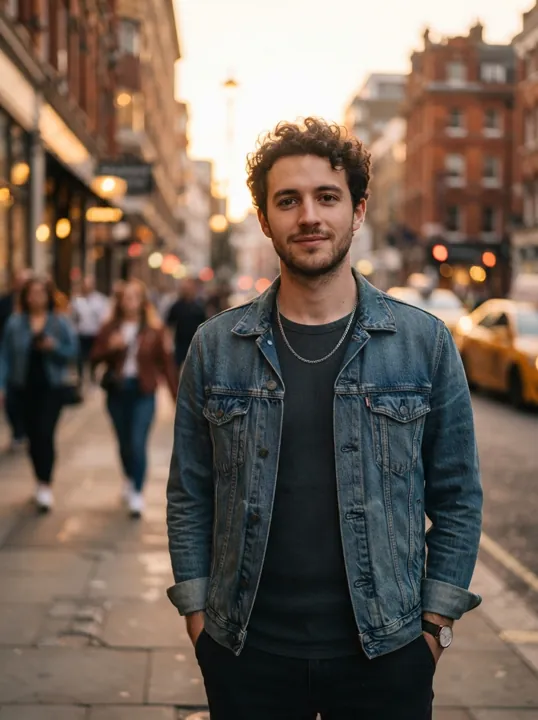
提示词: The man smiles slightly and turns his head toward the camera as a light breeze moves his hair; people walk past in the soft-focus background; slow camera push-in, warm golden hour light
下面每段视频均于 2026 年 11 月 1 日由旁边的照片生成,使用 Seedance 1.0 Pro,时长 5 秒、720p,提示词即所示内容。示例照片均为 AI 生成,未使用任何真人肖像。
提示词: The man smiles slightly and turns his head toward the camera as a light breeze moves his hair; people walk past in the soft-focus background; slow camera push-in, warm golden hour light

提示词: Slow orbit around the perfume bottle, light glints across the glass and the amber liquid shimmers, the dried flowers sway gently, soft studio lighting
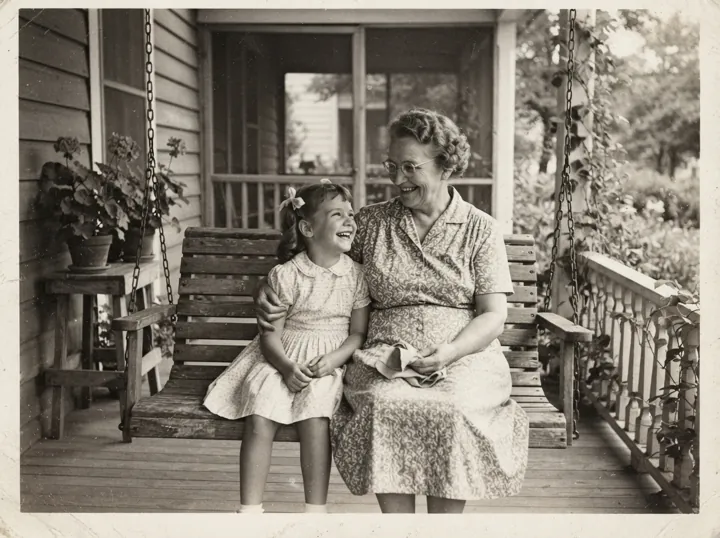
提示词: The grandmother and the little girl gently swing on the porch swing and laugh together, the girl leans on her shoulder, subtle natural movement, keep the black-and-white vintage look
在上方的图片框中上传一张照片。JPG、PNG、WebP 等常见格式均可,主体清晰的照片生成的动作更自然。
描述想要的动作和镜头运动,然后选择模型、时长、分辨率和画面比例。开始之前,生成按钮上会显示所需积分。
开始生成,通常需要几分钟,你可以在视频历史记录中查看进度。完成后下载 MP4。如果生成失败,积分会自动退还。
下面的每个模型都支持以照片作为起点。Veo 来自 Google DeepMind,Seedance 来自 ByteDance Seed;每个模型名称都链接到它在 ViNano 上的页面,可查看完整设置。
| 模型 | 视频时长 | 分辨率 | 声音 |
|---|---|---|---|
| Veo 3.1 | 由模型决定 | 720p / 1080p / 4K | 是 |
| Seedance 1.0 Pro | 5 / 10 s | 480p / 720p / 1080p | 否 |
| Seedance 2.0 Pro | 5 / 10 / 15 s | 480p / 720p / 1080p | 是 |
| Seedance 2.5 | 5 / 10 / 15 s | 480p / 720p / 1080p | 是 |
| MiniMax H3 | 5 / 10 / 15 s | 768p / 2K | 是 |
| Grok Imagine | 6–30 s | 480p / 720p | 是 |
例如,5 秒的 Seedance 1.0 Pro 视频在 480p 下需要 90 积分,在 720p 下需要 190 积分;一段 Veo 3.1 Fast 视频需要 180 积分。视频价格对免费账户和付费账户相同,生成按钮会先显示确切费用。
如果你已经有想让它动起来的图片,例如人像、产品照或修复好的老家庭照片,就用照片转视频。视频从你的照片出发,因此人脸、产品和构图都能保持可辨认。
如果你只有想法、还没有图片,就用文字转视频,由模型根据你的描述生成整个场景。你也可以先用 AI 图片生成器生成图片,再回到这里让它动起来。
在ViNano AI,用最先进的ViNano AI模型技术生成图片,再探索AI生成的精彩视频内容,体验创意视频的无限可能
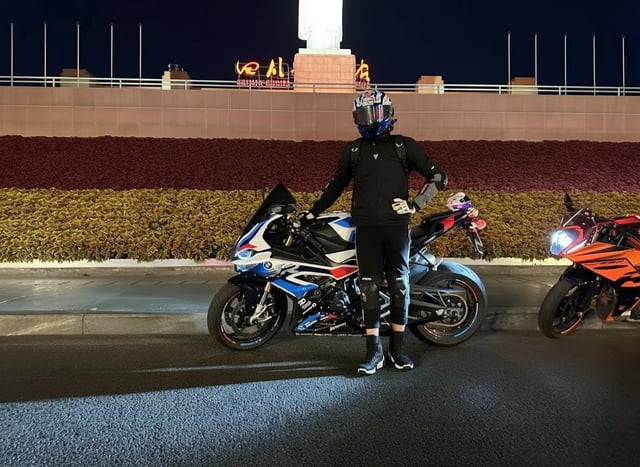
从普通车辆照片到人物酷炫姿态,展现更加动感的车辆主题场景,只需一张原图即可完成创作。
"Change the person in the photo to get out of the car, stand next to the car, and pose in a cool way"
"Use the motorcycle and rider in the picture to generate a photo of riding fast in the rain. In the lens, you can see raindrops falling, passing through a puddle, splashing a little water towards the lens, and then the lens immediately switches to capture the back of the motorcycle."
...点击查看完整提示词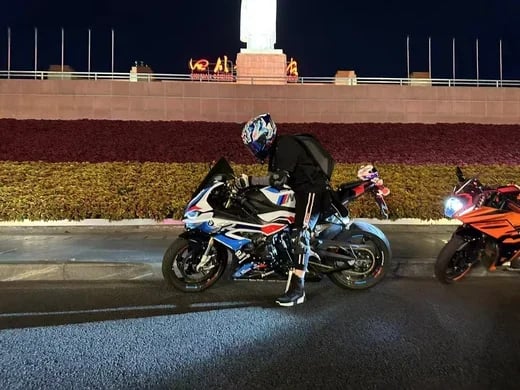
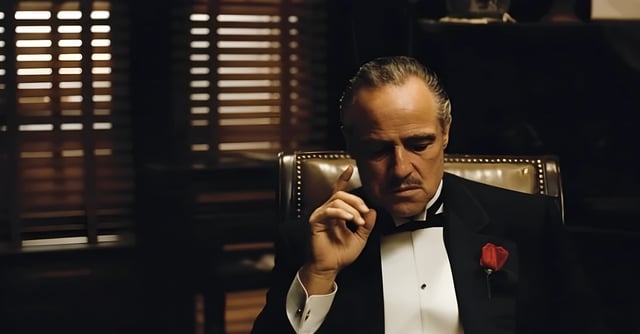
从商务人士到未来战士的惊人变身,电影级特效展现科幻魅力。
"A cinematic 8-second video in a dark, dramatic office with Venetian blinds casting striped shadows across the room. Scene begins with the man on the left, who was leaning in to whisper, slowly standing upright and walking away into the shadows. The camera tracks smoothly, keeping the central figure in focus. The central man, seated in a leather chair, lowers his hand, then rises slowly with authority. As he stands, his elegant black tuxedo instantly transforms into a glowing, futuristic Iron Man–style suit of armor, with metallic plates snapping into place across his body in rapid succession. The camera performs a dynamic dolly zoom, emphasizing the transformation. Once fully armored, he raises his right arm, a glowing weapon emerges, and he points it directly at the camera. The camera shifts to a close-up, the glowing barrel of the weapon filling the frame. In the final moment, a powerful energy blast fires directly into the lens, and the screen flashes white with cinematic sound design."
...点击查看完整提示词
从新娘装到多种服装的快速变换,展现AI在时尚领域的创造力。
"Help me quickly change the outfit of this bride in a wedding dress, from the style in the picture to a professional outfit, then to a mecha outfit, and finally to a swimsuit. The camera rotates 360 degrees and slowly zooms out; the girl's eyes follow the camera."
...点击查看完整提示词

了解如何使用我们的AI视频生成工具,快速创建专业级视频内容。