

Nano Banana 2(ViNano AI 2&Pro)AI画像エディター
✨自然な言葉で画像を生成・編集し、動画を作成✨
ViNano AIは、自然な言葉の説明や参照画像を使って画像の生成・編集と動画生成ができるプラットフォームです。ブラウザーで対応モデルと利用可能な設定を選べます。
 GPT Image
 Nano Banana
 Seedance
本プラットフォームで生成されるコンテンツは人工知能モデルによって生成され、プラットフォームの立場を代表するものではありません。 [免責事項]。 [プライバシーポリシー]。
利用可能なすべてのモード(26)
厳選ケーススタディ
ViNano AIで、最先端のViNano AIモデル技術を使って画像を生成し、AI生成の魅力的な動画コンテンツを探索し、クリエイティブ動画の無限の可能性を体験してください

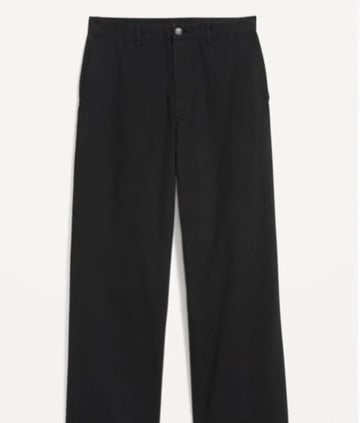
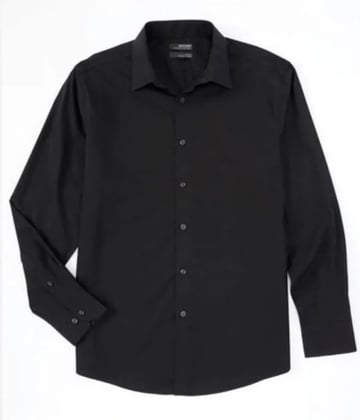
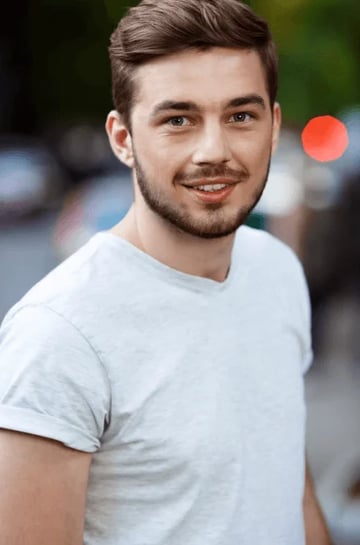
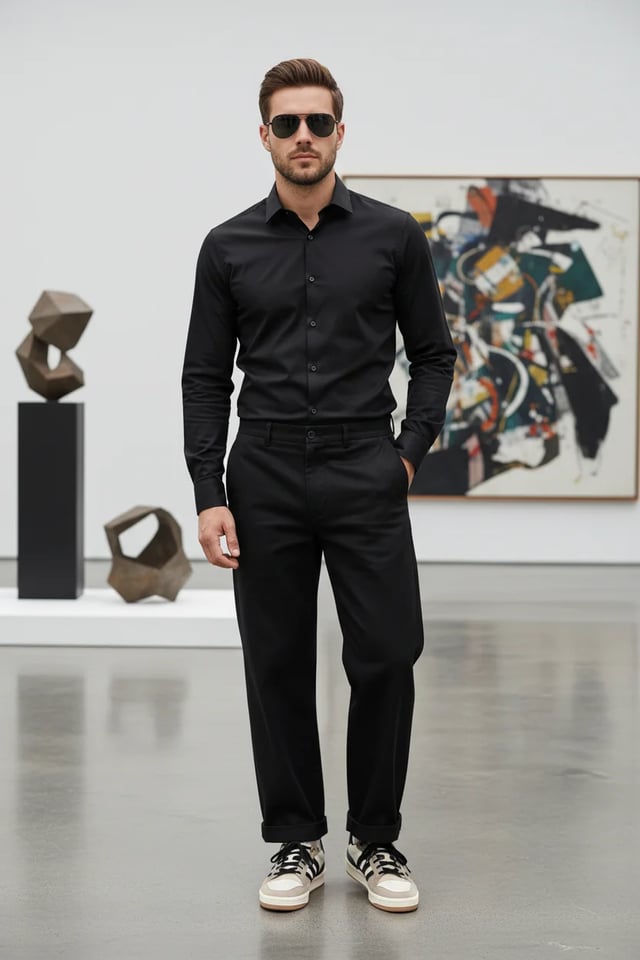
ECサイト商品ランウェイ
画像から商品ランウェイ動画まで、商品素材の元画像数枚だけで、数分で作成完了。
ステッププロセス
ECサイト商品展示画像生成のプロンプト例
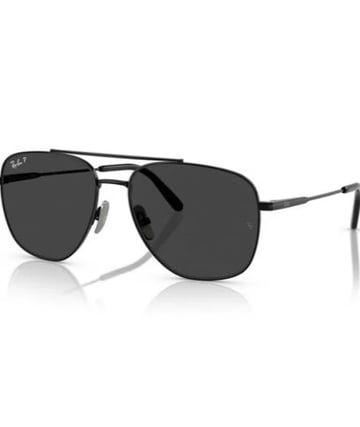
"Compose a complete men's outfit photograph featuring: stylish clothing items, accessories, sunglasses, and the male model wearing the complete coordinated look. Create a full-body fashion photograph with professional studio lighting. Show the outfit styling in an elegant, modern setting. Use fashion photography techniques with proper posing, lighting, and background. Ensure all accessories complement the overall aesthetic for a sophisticated, contemporary men's fashion editorial look."
...完全なプロンプトを表示するにはクリックECサイト商品展示動画生成のプロンプト例
"Generate a cinematic high-fashion runway show video featuring a confident male model wearing an all-black outfit (black shirt, tailored black trousers, sunglasses, and stylish sneakers). The runway is futuristic and illuminated by dramatic white spotlights, with a cheering audience seated on both sides, flashing cameras, and a glamorous fashion week atmosphere. Start with an establishing wide-angle shot: the runway extends forward, lined with LED floor panels glowing beneath his steps. Audience members clap, some raise phones to record, flashes from cameras sparkle across the room. Cut to a medium shot of the model walking confidently, his sunglasses reflecting the bright runway lights. Track the camera smoothly alongside him, highlighting his posture and self-assured expression. Transition to a close-up slow-motion shot of his feet as they strike the runway with sharp precision, showing detail in his sneakers and the polished surface of the stage. Switch to audience reaction shots: elegant guests applauding, paparazzi taking photos, phones capturing video, faces lit by camera flashes. Add dynamic pans that follow the energy of the crowd. Include background details like fashion show banners, subtle haze from stage fog, and moving spotlights crossing the ceiling. Introduce a crane shot sweeping from above, capturing the model's silhouette walking down the illuminated runway, surrounded by light beams cutting through the dark hall. Transition to a dolly-in shot focusing on his torso and face, emphasizing charisma and presence. Add subtle lens flares and cinematic depth of field. As he approaches the end of the runway, create a dramatic pause: zoom in to his face as he briefly removes his sunglasses, looking into the camera with a confident smirk. Audience erupts with applause, flashbulbs explode, and the lights intensify around him. Conclude with a full frontal shot: the model stops at the runway edge, striking a final pose under a spotlight, with the crowd cheering and lights shimmering. Fade out with the echoes of applause and the flicker of camera flashes, leaving a powerful high-fashion impression."
...完全なプロンプトを表示するにはクリック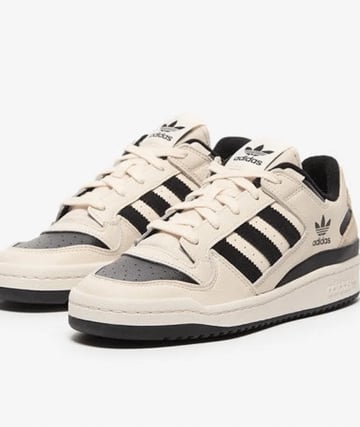
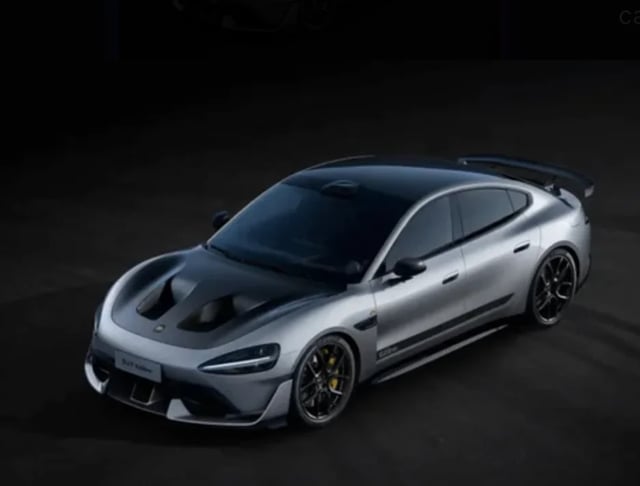
スポーツカー組立てサーキット
車のパーツ画像から、スポーツカーに組立て、そしてAI生成のサーキット動画まで、車素材の元画像一枚だけで、数分で作成完了。
ステッププロセス
スポーツカー組立て画像生成のプロンプト例
"Assemble the car parts in this picture into a complete sports car, viewing at a 45-degree angle, keeping the body color unchanged"
サーキット動画生成のプロンプト例
"An 8-10 second cinematic car commercial. A futuristic silver sports sedan with a carbon-fiber hood races down a dark runway at night. Start with a dramatic wide shot of glowing runway lights igniting one by one as the car speeds forward. Camera sweeps low across the asphalt, capturing sparks from the tires and golden brake calipers flashing. Slow-motion side view of the car drifting through neon-lit curves, the metallic body reflecting streaks of light. Quick aerial drone shot as the car accelerates, engine roaring, leaving behind glowing light trails. Final close-up: the car bursts through smoke, headlights blasting directly into the lens, ending with a neon logo reveal and explosive bass hit."
...完全なプロンプトを表示するにはクリック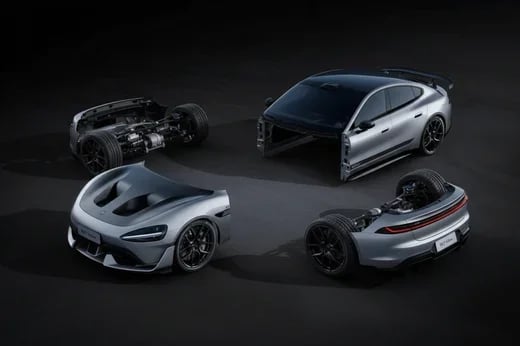
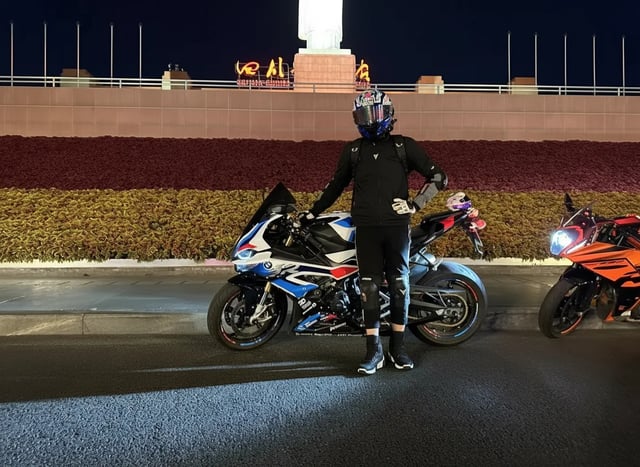
クールな車両ポーズ
通常の車両写真からクールな人物ポーズまで、よりダイナミックな車両テーマシーンを見せ、元画像一枚だけで作成完了。
ステッププロセス
クールポーズ画像生成のプロンプト例
"Change the person in the photo to get out of the car, stand next to the car, and pose in a cool way"
雨中バイク疾走動画生成のプロンプト例
"Use the motorcycle and rider in the picture to generate a photo of riding fast in the rain. In the lens, you can see raindrops falling, passing through a puddle, splashing a little water towards the lens, and then the lens immediately switches to capture the back of the motorcycle."
...完全なプロンプトを表示するにはクリック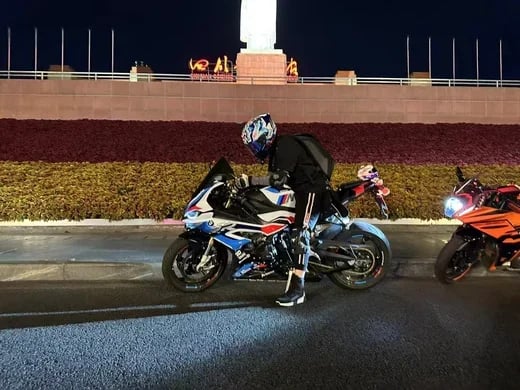
SF戦士変身
ビジネスマンから未来戦士への驚くべき変身、映画レベルの特殊効果でSFの魅力を見せます。
ステッププロセス
SF戦士変身動画生成のプロンプト例
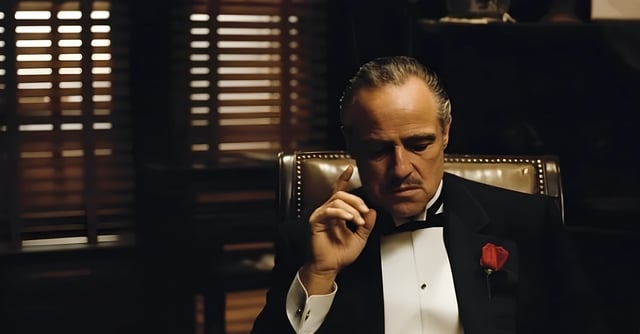
"A cinematic 8-second video in a dark, dramatic office with Venetian blinds casting striped shadows across the room. Scene begins with the man on the left, who was leaning in to whisper, slowly standing upright and walking away into the shadows. The camera tracks smoothly, keeping the central figure in focus. The central man, seated in a leather chair, lowers his hand, then rises slowly with authority. As he stands, his elegant black tuxedo instantly transforms into a glowing, futuristic Iron Man–style suit of armor, with metallic plates snapping into place across his body in rapid succession. The camera performs a dynamic dolly zoom, emphasizing the transformation. Once fully armored, he raises his right arm, a glowing weapon emerges, and he points it directly at the camera. The camera shifts to a close-up, the glowing barrel of the weapon filling the frame. In the final moment, a powerful energy blast fires directly into the lens, and the screen flashes white with cinematic sound design."
...完全なプロンプトを表示するにはクリック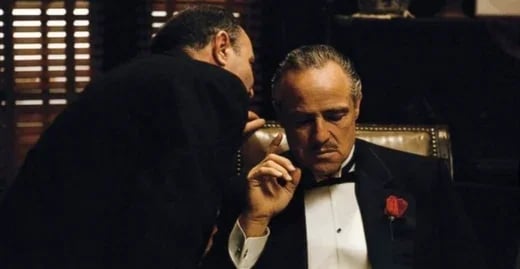
ViNano AI 2&Proの画像作成ツール
テキストの説明と参照画像を使って画像を生成・編集できます。解像度と利用可能な設定は選択したモデルによって異なります。
多言語の文字描画
さまざまな言語やスタイルの文字を生成できます。精度はモデル、文言、レイアウトによって異なるため、使用前に表記と読みやすさをご確認ください。
選べる出力解像度
初期設定は1Kです。利用できる1K、2K、4Kの選択肢はモデルの設定によって異なります。生成前に解像度を選択してください。出力は自動で拡大されません。
多言語サポート
11 言語をサポートし、グローバルユーザーにローカライズされた体験を提供
ViNano Pro を搭載
当社の最新 ViNano Pro モデルを使用し、優れた生成品質を実現
説明に基づく画像編集
光、色、細部の変更を指示できます。結果を確認し、必要に応じて入力を調整してください。追加の画像強化は別の操作です。
高速生成
生成時間はモデル、解像度、リクエストの複雑さ、サービスの負荷によって異なります。時間がかかる場合はタスクの状態で進行状況をご確認ください。
💰 透明な価格設定
画像のクレジット消費量は、モデル、解像度、優先チャネル、アカウントの支払い状況によって異なります。生成前に表示される合計をご確認ください。別途依頼する編集や拡大は、一律の画像料金には含まれません。
プロンプトから始める
プロンプトの入力または参照画像のアップロード後、利用可能な設定を選び、表示されるクレジット消費量を確認してから生成してください。
💰 透明な価格設定
画像のクレジット消費量は、モデル、解像度、優先チャネル、アカウントの支払い状況によって異なります。生成前に表示される合計をご確認ください。別途依頼する編集や拡大は、一律の画像料金には含まれません。
ViNano AI 2&Proの画像作成ツール
テキストの説明と参照画像を使って画像を生成・編集できます。解像度と利用可能な設定は選択したモデルによって異なります。
- テキストから画像への生成説明を入力するだけで、AI が素晴らしい画像を生成
- 画像編集と強化強力な AI 画像編集と最適化ツール
- 選べる出力解像度初期設定は1Kです。利用できる1K、2K、4Kの選択肢はモデルの設定によって異なります。生成前に解像度を選択してください。出力は自動で拡大されません。
ViNano AI 2&Proのよくある質問
ViNano AI 2 に関するよくある質問