




사용 가능한 모든 모드 (26)
엄선된 사례 연구
ViNano AI에서 가장 발전된 ViNano AI 모델 기술로 이미지를 생성하고, AI가 생성한 흥미진진한 비디오 콘텐츠를 탐색하며, 창의적인 비디오의 무한한 가능성을 경험하세요



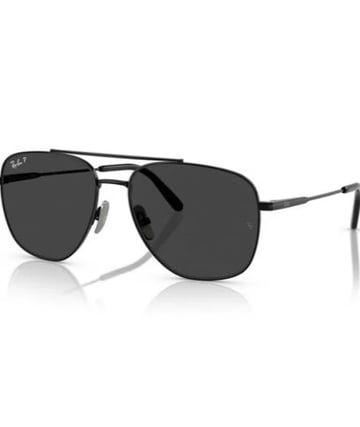
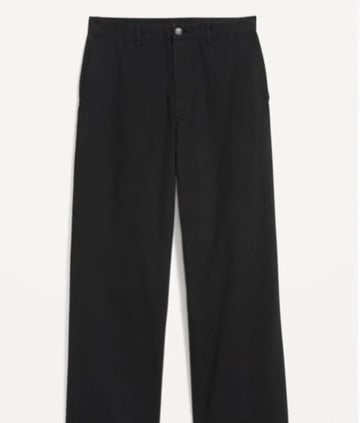
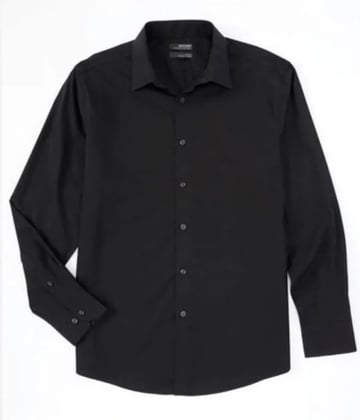
이커머스 제품 런웨이
이미지에서 제품 런웨이 동영상까지, 제품 소재 원본 이미지 몇 장만 있으면 몇 분 만에 창작 완료.
단계 프로세스
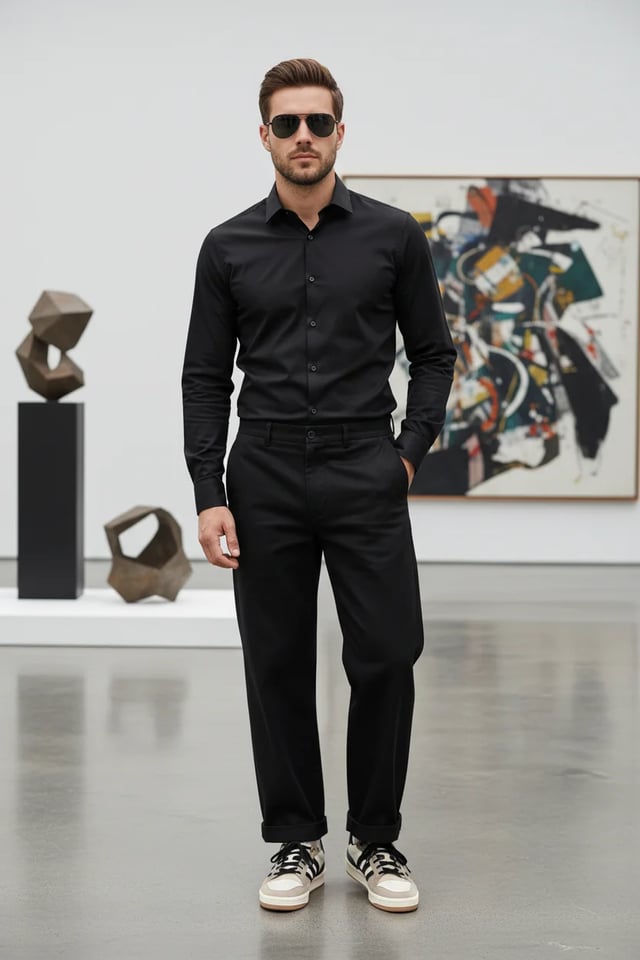
이커머스 제품 전시 이미지 생성 프롬프트 예시
"Compose a complete men's outfit photograph featuring: stylish clothing items, accessories, sunglasses, and the male model wearing the complete coordinated look. Create a full-body fashion photograph with professional studio lighting. Show the outfit styling in an elegant, modern setting. Use fashion photography techniques with proper posing, lighting, and background. Ensure all accessories complement the overall aesthetic for a sophisticated, contemporary men's fashion editorial look."
...전체 프롬프트를 보려면 클릭하세요이커머스 제품 전시 동영상 생성 프롬프트 예시
"Generate a cinematic high-fashion runway show video featuring a confident male model wearing an all-black outfit (black shirt, tailored black trousers, sunglasses, and stylish sneakers). The runway is futuristic and illuminated by dramatic white spotlights, with a cheering audience seated on both sides, flashing cameras, and a glamorous fashion week atmosphere. Start with an establishing wide-angle shot: the runway extends forward, lined with LED floor panels glowing beneath his steps. Audience members clap, some raise phones to record, flashes from cameras sparkle across the room. Cut to a medium shot of the model walking confidently, his sunglasses reflecting the bright runway lights. Track the camera smoothly alongside him, highlighting his posture and self-assured expression. Transition to a close-up slow-motion shot of his feet as they strike the runway with sharp precision, showing detail in his sneakers and the polished surface of the stage. Switch to audience reaction shots: elegant guests applauding, paparazzi taking photos, phones capturing video, faces lit by camera flashes. Add dynamic pans that follow the energy of the crowd. Include background details like fashion show banners, subtle haze from stage fog, and moving spotlights crossing the ceiling. Introduce a crane shot sweeping from above, capturing the model's silhouette walking down the illuminated runway, surrounded by light beams cutting through the dark hall. Transition to a dolly-in shot focusing on his torso and face, emphasizing charisma and presence. Add subtle lens flares and cinematic depth of field. As he approaches the end of the runway, create a dramatic pause: zoom in to his face as he briefly removes his sunglasses, looking into the camera with a confident smirk. Audience erupts with applause, flashbulbs explode, and the lights intensify around him. Conclude with a full frontal shot: the model stops at the runway edge, striking a final pose under a spotlight, with the crowd cheering and lights shimmering. Fade out with the echoes of applause and the flicker of camera flashes, leaving a powerful high-fashion impression."
...전체 프롬프트를 보려면 클릭하세요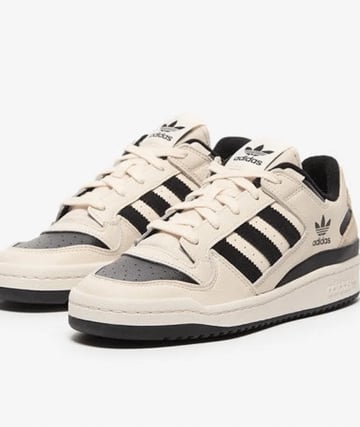

스포츠카 조립 트랙
자동차 부품 이미지에서 스포츠카로 조립하고, 그다음 AI 생성 트랙 동영상까지, 자동차 소재 원본 이미지 한 장만 있으면 몇 분 만에 창작 완료.
단계 프로세스
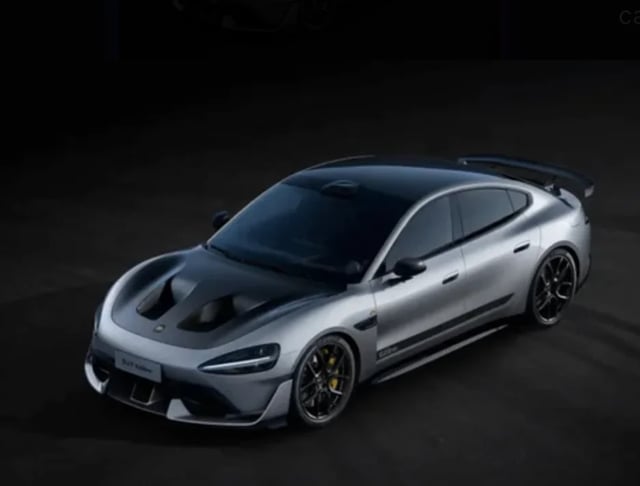
스포츠카 조립 이미지 생성 프롬프트 예시
"Assemble the car parts in this picture into a complete sports car, viewing at a 45-degree angle, keeping the body color unchanged"
트랙 동영상 생성 프롬프트 예시
"An 8-10 second cinematic car commercial. A futuristic silver sports sedan with a carbon-fiber hood races down a dark runway at night. Start with a dramatic wide shot of glowing runway lights igniting one by one as the car speeds forward. Camera sweeps low across the asphalt, capturing sparks from the tires and golden brake calipers flashing. Slow-motion side view of the car drifting through neon-lit curves, the metallic body reflecting streaks of light. Quick aerial drone shot as the car accelerates, engine roaring, leaving behind glowing light trails. Final close-up: the car bursts through smoke, headlights blasting directly into the lens, ending with a neon logo reveal and explosive bass hit."
...전체 프롬프트를 보려면 클릭하세요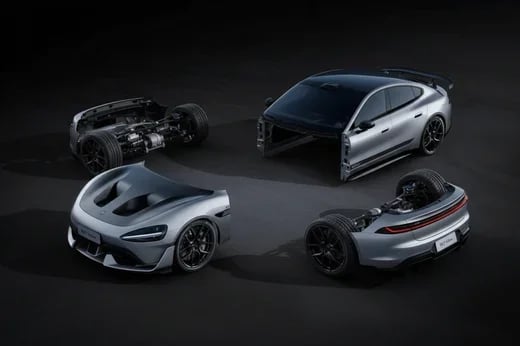
쿨한 차량 포즈
일반 차량 사진에서 쿨한 인물 포즈까지, 더욱 역동적인 차량 테마 장면을 보여주며, 원본 이미지 한 장만으로 창작 완료.
단계 프로세스
쿨한 포즈 이미지 생성 프롬프트 예시
"Change the person in the photo to get out of the car, stand next to the car, and pose in a cool way"
빗속 오토바이 질주 동영상 생성 프롬프트 예시
"Use the motorcycle and rider in the picture to generate a photo of riding fast in the rain. In the lens, you can see raindrops falling, passing through a puddle, splashing a little water towards the lens, and then the lens immediately switches to capture the back of the motorcycle."
...전체 프롬프트를 보려면 클릭하세요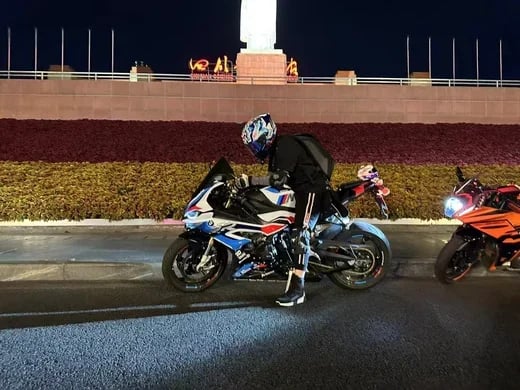
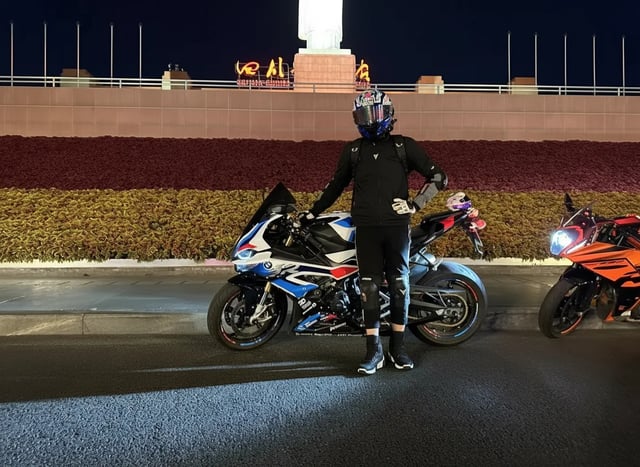
SF 전사 변신
비즈니스맨에서 미래 전사로의 놀라운 변신, 영화급 특수효과로 SF의 매력을 보여줍니다.
단계 프로세스
SF 전사 변신 동영상 생성 프롬프트 예시
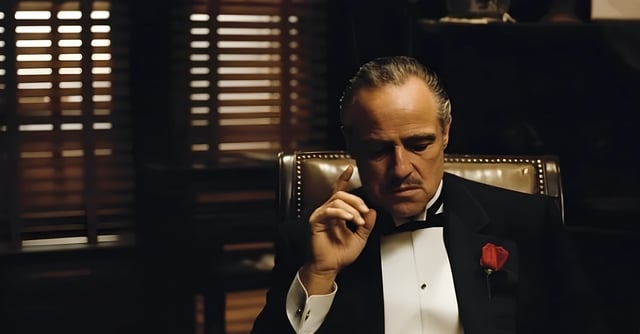
"A cinematic 8-second video in a dark, dramatic office with Venetian blinds casting striped shadows across the room. Scene begins with the man on the left, who was leaning in to whisper, slowly standing upright and walking away into the shadows. The camera tracks smoothly, keeping the central figure in focus. The central man, seated in a leather chair, lowers his hand, then rises slowly with authority. As he stands, his elegant black tuxedo instantly transforms into a glowing, futuristic Iron Man–style suit of armor, with metallic plates snapping into place across his body in rapid succession. The camera performs a dynamic dolly zoom, emphasizing the transformation. Once fully armored, he raises his right arm, a glowing weapon emerges, and he points it directly at the camera. The camera shifts to a close-up, the glowing barrel of the weapon filling the frame. In the final moment, a powerful energy blast fires directly into the lens, and the screen flashes white with cinematic sound design."
...전체 프롬프트를 보려면 클릭하세요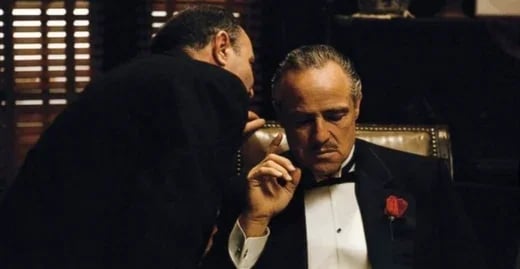
ViNano AI 2&Pro 이미지 제작 도구
텍스트 설명과 참조 이미지로 이미지를 생성하고 편집하세요. 해상도와 제공되는 설정은 선택한 모델에 따라 달라집니다.
다국어 텍스트 렌더링
다양한 언어와 스타일의 텍스트를 생성하세요. 정확도는 모델, 문구, 레이아웃에 따라 달라지므로 사용 전에 맞춤법과 가독성을 확인하세요.
선택 가능한 출력 해상도
기본 해상도는 1K입니다. 사용 가능한 1K, 2K, 4K 옵션은 선택한 모델 설정에 따라 달라집니다. 생성 전에 해상도를 선택하세요. 출력이 자동 확대되지는 않습니다.
다국어 지원
11개 언어를 지원하여 전 세계 사용자에게 현지화된 경험 제공
ViNano Pro 기반
당사의 최신 ViNano Pro 모델을 활용하여 우수한 생성 품질 제공
설명에 따른 이미지 편집
조명, 색상이나 세부 사항의 변경을 설명하세요. 결과를 검토하고 필요하면 입력을 조정하세요. 추가 이미지 향상은 별도 작업입니다.
빠른 생성
생성 시간은 모델, 해상도, 요청 복잡도와 서비스 부하에 따라 달라집니다. 일부 요청은 더 오래 걸릴 수 있으므로 작업 상태를 확인하세요.
💰 투명한 가격 책정
이미지당 크레딧은 모델, 해상도, 우선 채널 및 계정의 결제 상태에 따라 달라집니다. 생성 전에 표시된 총액을 확인하세요. 별도로 요청한 편집이나 확대는 고정 이미지 요금에 포함되지 않습니다.
프롬프트로 시작
프롬프트를 입력하거나 참조 이미지를 업로드하고 제공되는 설정을 선택한 뒤 생성 전에 표시된 크레딧 비용을 확인하세요.
💰 투명한 가격 책정
이미지당 크레딧은 모델, 해상도, 우선 채널 및 계정의 결제 상태에 따라 달라집니다. 생성 전에 표시된 총액을 확인하세요. 별도로 요청한 편집이나 확대는 고정 이미지 요금에 포함되지 않습니다.
ViNano AI 2&Pro 이미지 제작 도구
텍스트 설명과 참조 이미지로 이미지를 생성하고 편집하세요. 해상도와 제공되는 설정은 선택한 모델에 따라 달라집니다.
- 텍스트-이미지 생성설명만 입력하면 AI가 멋진 이미지를 생성합니다
- 이미지 편집 및 향상강력한 AI 이미지 편집 및 최적화 도구
- 선택 가능한 출력 해상도기본 해상도는 1K입니다. 사용 가능한 1K, 2K, 4K 옵션은 선택한 모델 설정에 따라 달라집니다. 생성 전에 해상도를 선택하세요. 출력이 자동 확대되지는 않습니다.
ViNano AI 2&Pro 자주 묻는 질문
ViNano AI 2에 대한 일반적인 질문